Tests
Mappings, services and functions have test suites. Each test gives the data to run on and says what result to expect, so a change that breaks a mapping or a service shows up before anyone depends on it. You run tests in Legend Studio, and the project's build runs them all again.
A mapping's tests
A mapping's Test Suites tab holds its suites. A suite has a query, and tests that run it on data of their own. Here, the suite firmSuite of FirmMapping counts each firm's employees, and its test has just passed.
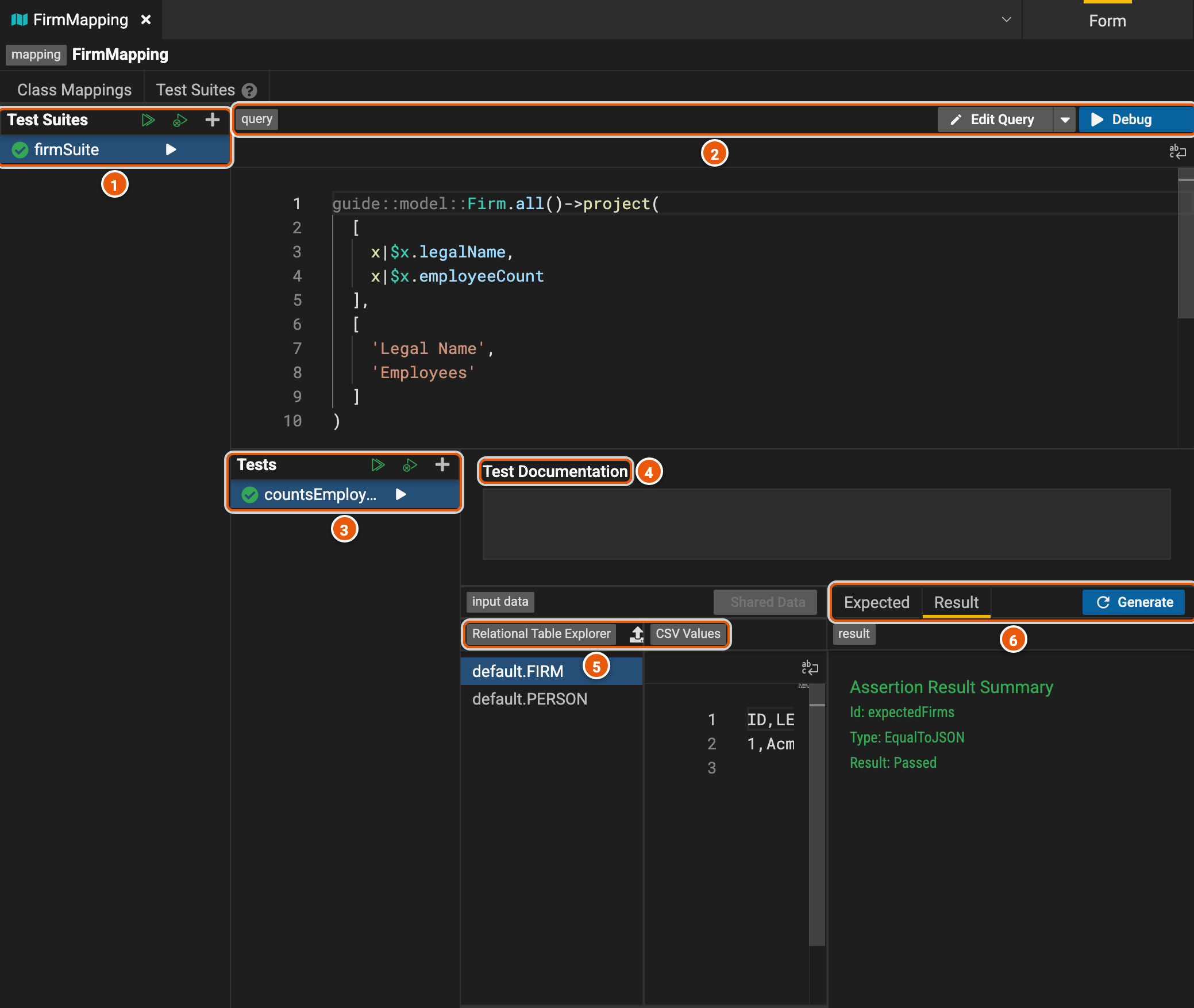
- The suites: Run All Suites, Run All Failing Tests and Add Mapping Suite. A tick shows a suite that passed, a cross one that failed.
- The query the suite's tests run. Edit Query opens it in the query builder, and Debug runs the selected test and shows what the engine returned, to find out why a test fails.
- The suite's tests: Run All Tests, Run All Failing Tests and Add Mapping Test, and the arrow beside each test runs it.
- Test Documentation: what the test checks, in words.
- The input data: the rows each table holds for the test, written as CSV. Import CSV and Add Relational Table Data add a table's rows. Shared Data uses rows kept in a data element, which several tests can share; it needs a data element in the project.
- Expected is the result the test expects, and Result shows whether it passed. Generate fills in Expected by running the query on the input data.
A function's tests
A function's Test Suites tab works the same way. Here, the tests of initials check that it turns 'Ada' and
'Lovelace' into 'AL'.
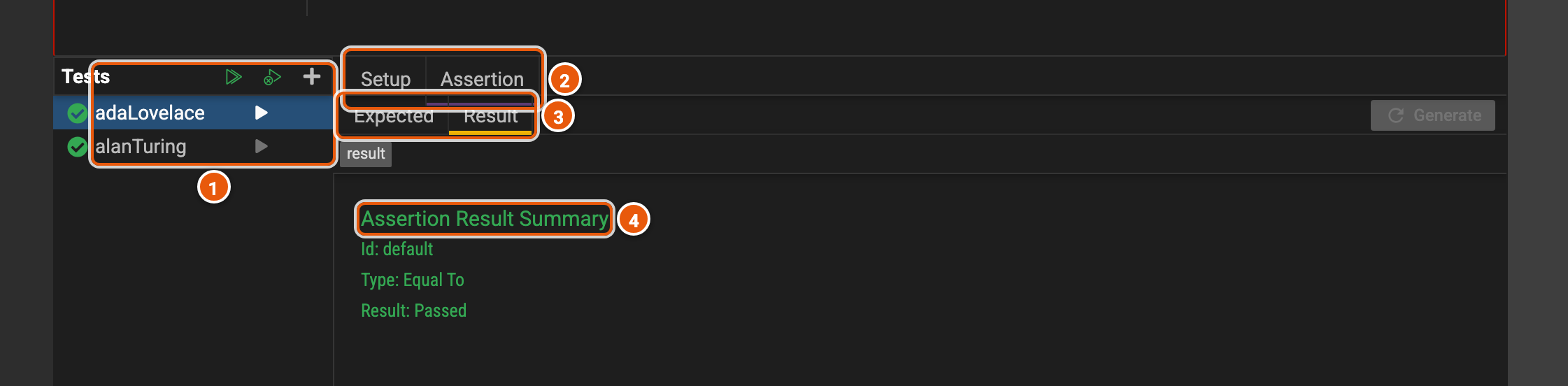
- The tests: Run All Tests, Run All Failing Tests and Add Function Test.
- Setup gives the values the test passes to the function; Assertion says what it expects.
- Expected and Result.
- The result: whether the test passed and, when it fails, the difference between what it expected and what came back.
A service's tests are on its own editor: its query runs on test data for each of its connections (see Services).
The Test Runner
Test Runner, in the activity bar, runs every test of the project at once.
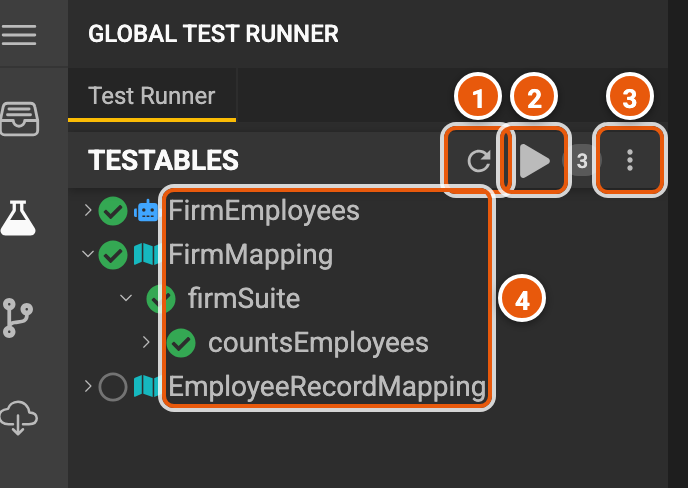
- Reset clears the results.
- Run All Tests, beside how many elements have tests.
- The options menu, such as to also run the tests of the projects this one depends on.
- The project's services and mappings, with their suites and tests: a tick when they passed, a cross when they failed. EmployeeRecordMapping has no tests yet.