Modeling
A model describes your data: the business concepts it holds, such as a firm and the people it employs, what each one has, and the rules the data must follow. This page shows the elements a model is made of and their editors: classes, enumerations, associations, profiles and diagrams.
Create an element
Pick the package to create the element in, then click New Element... (Ctrl+Shift+N) at the top of the explorer. Right-clicking a package lists the same kinds.
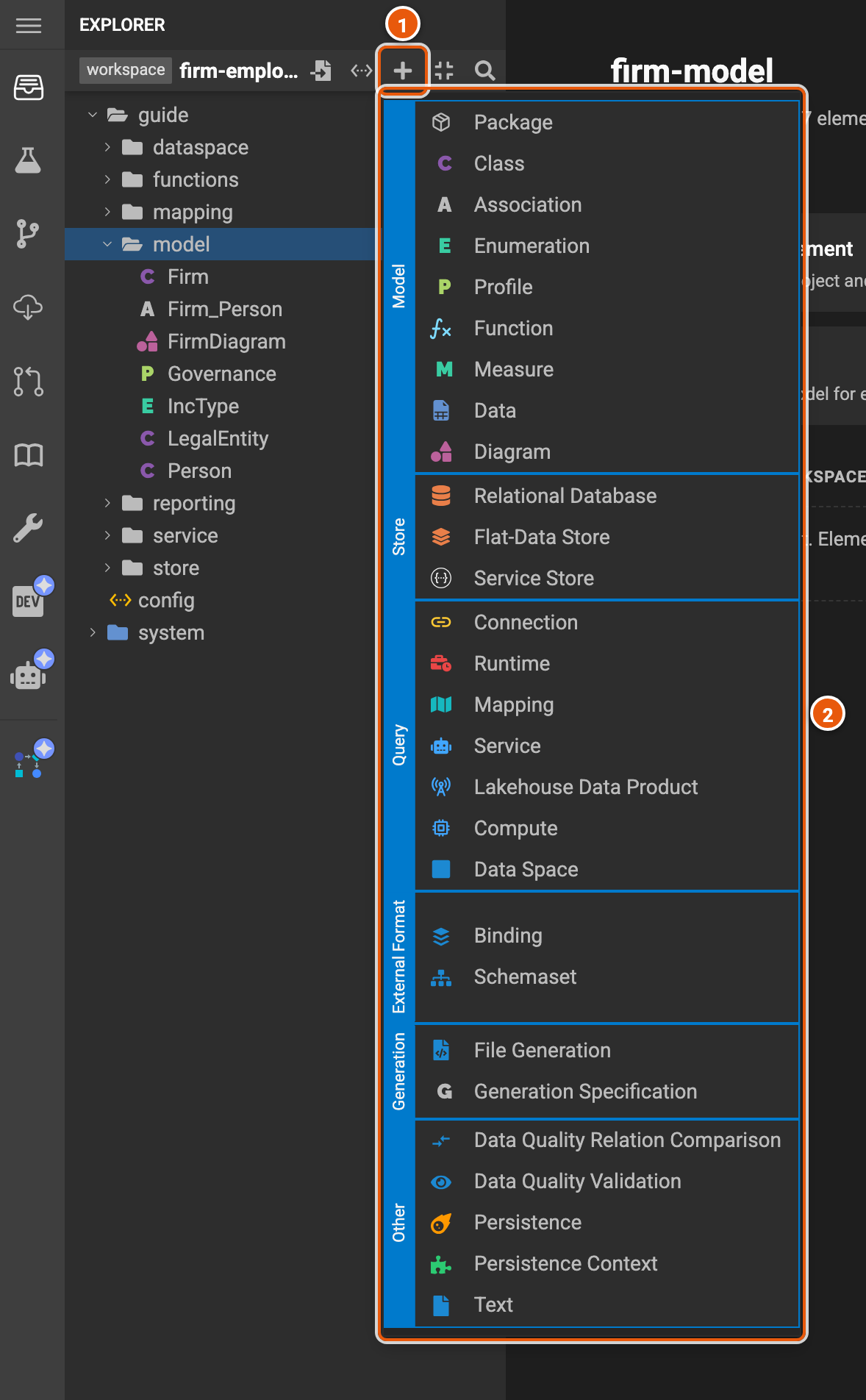
- New Element...: opens the menu.
- The kinds of element you can create, by group: Model, Store, Query, External Format, Generation and Other. With no package picked, the menu has Package only.
Pick a kind, then type the element's name, and Create. Type :: to create it in a new package, as in
reporting::Address.
Classes
A class is a business concept, such as a person. Its editor has a tab for each part of it.
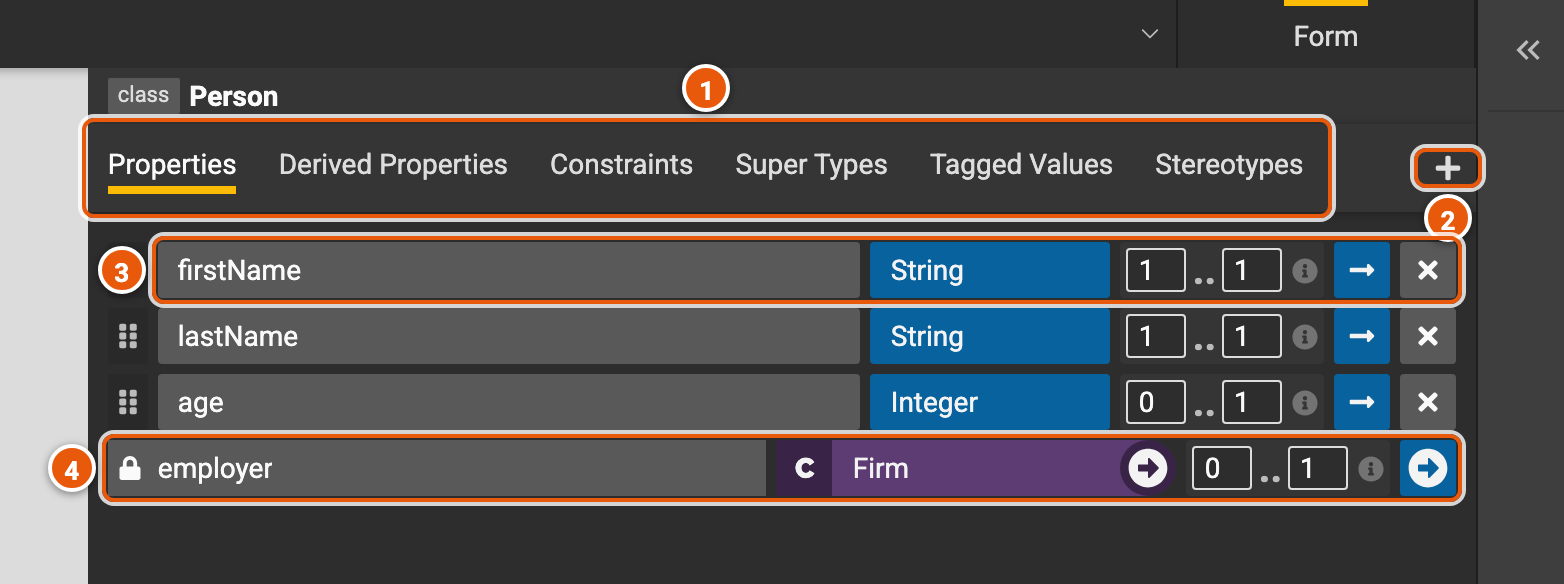
- The tabs:
- Properties: the class's attributes.
- Derived Properties: values computed from the others (see below).
- Constraints: rules the class's data must follow (see below).
- Super Types: the classes it extends. It has their properties too.
- Tagged Values and Stereotypes: information about the class, from a profile.
- Add: adds a property, or what the open tab lists.
- A property, from left to right: drag the handle to reorder it; its name; its type, a primitive type such as
String or Integer, an enumeration or a class, with an arrow to visit it; its multiplicity, from at least to
at most, such as
0..1for an optional value or0..*for a list (point at ⓘ for what it means); See detail, for the property's own tagged values and stereotypes; and Remove. - A property from an association: the lock shows it is defined elsewhere, in the association; the arrow visits it.
Derived properties and constraints
A derived property is computed by an expression, written in the Legend language, from the class's other properties. Here, a person's fullName joins their first and last names.
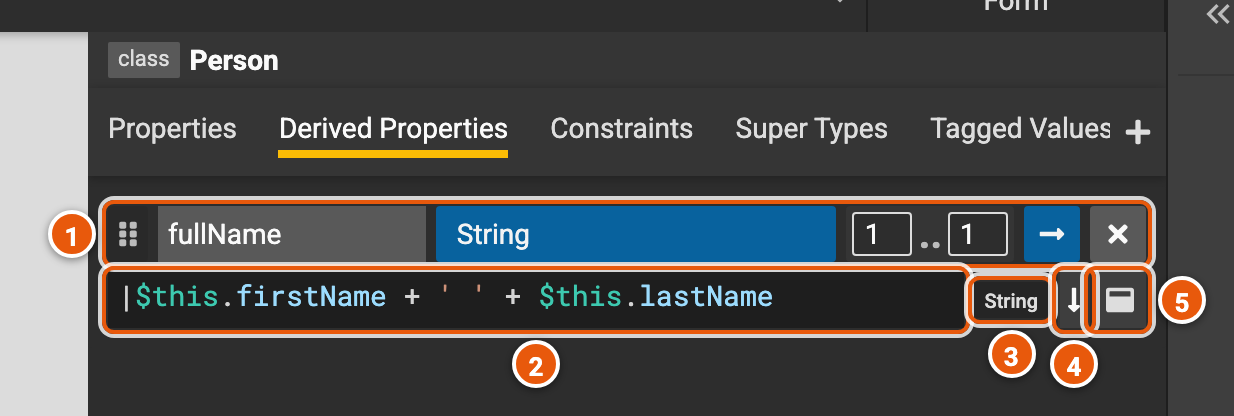
- Its name, type and multiplicity, as for a property.
- The expression, where
$thisis the instance of the class. A syntax error shows under it as you type; other errors show when you compile. - The type the expression returns.
- Toggle Expand: more lines for a long expression.
- Open in a popup...: edits the expression in a larger editor.
The Constraints tab works the same way: each constraint has a name and an expression that must be true, such as
$this.age->isEmpty() || ($this.age->toOne() > 0) for a person whose age, if known, is positive.
Enumerations
An enumeration is a type with a fixed list of values, such as the kinds of firm.
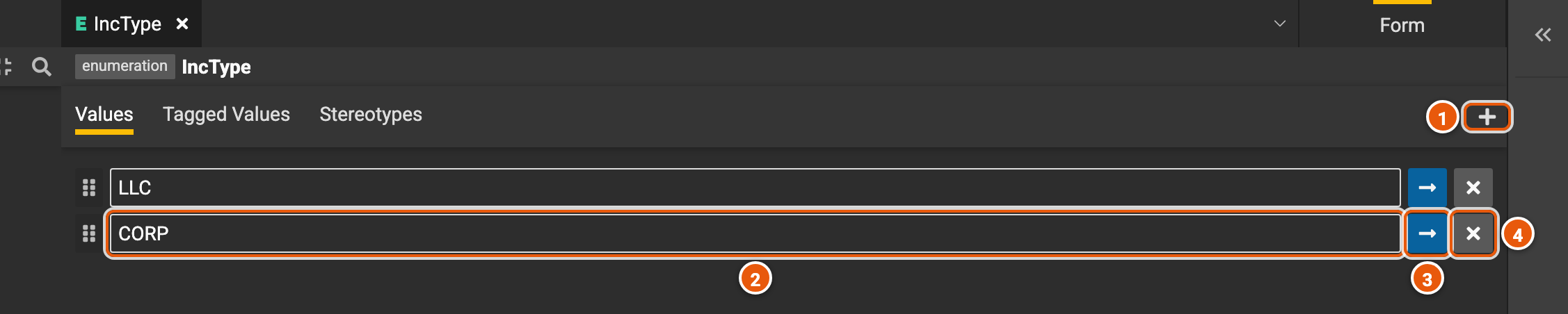
- Add enum value.
- A value: type to rename it.
- See detail: the value's tagged values and stereotypes.
- Remove the value.
Associations
An association links two classes and adds a property to each end. Here, Firm_Person gives a firm its employees and a person their employer. Each end has a type and a multiplicity, as a property does.

Profiles
A profile declares the tags and stereotypes that classes, properties and other elements can use. A tag gets a value on the element, such as an owner; a stereotype is a label, such as critical.
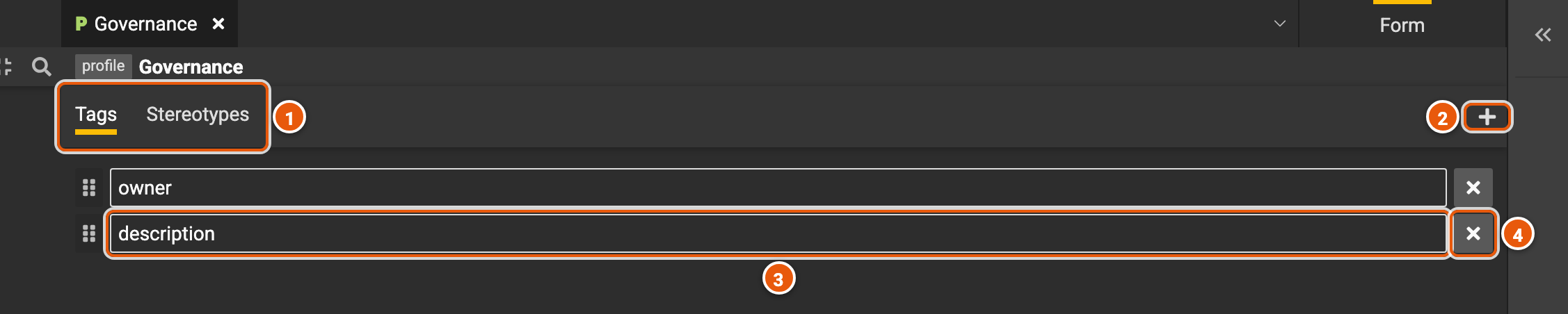
- Tags and Stereotypes: one list each.
- Add a tag, or a stereotype.
- A tag: type to rename it.
- Remove it.
On a class, the Tagged Values tab picks a profile and one of its tags, then takes the value; the Stereotypes tab picks a profile and one of its stereotypes.
Diagrams
A diagram draws classes and the links between them. Diagrams aren't drawn for you: you add the classes each one is about, by dropping them from the explorer onto it, or with the add class tool.
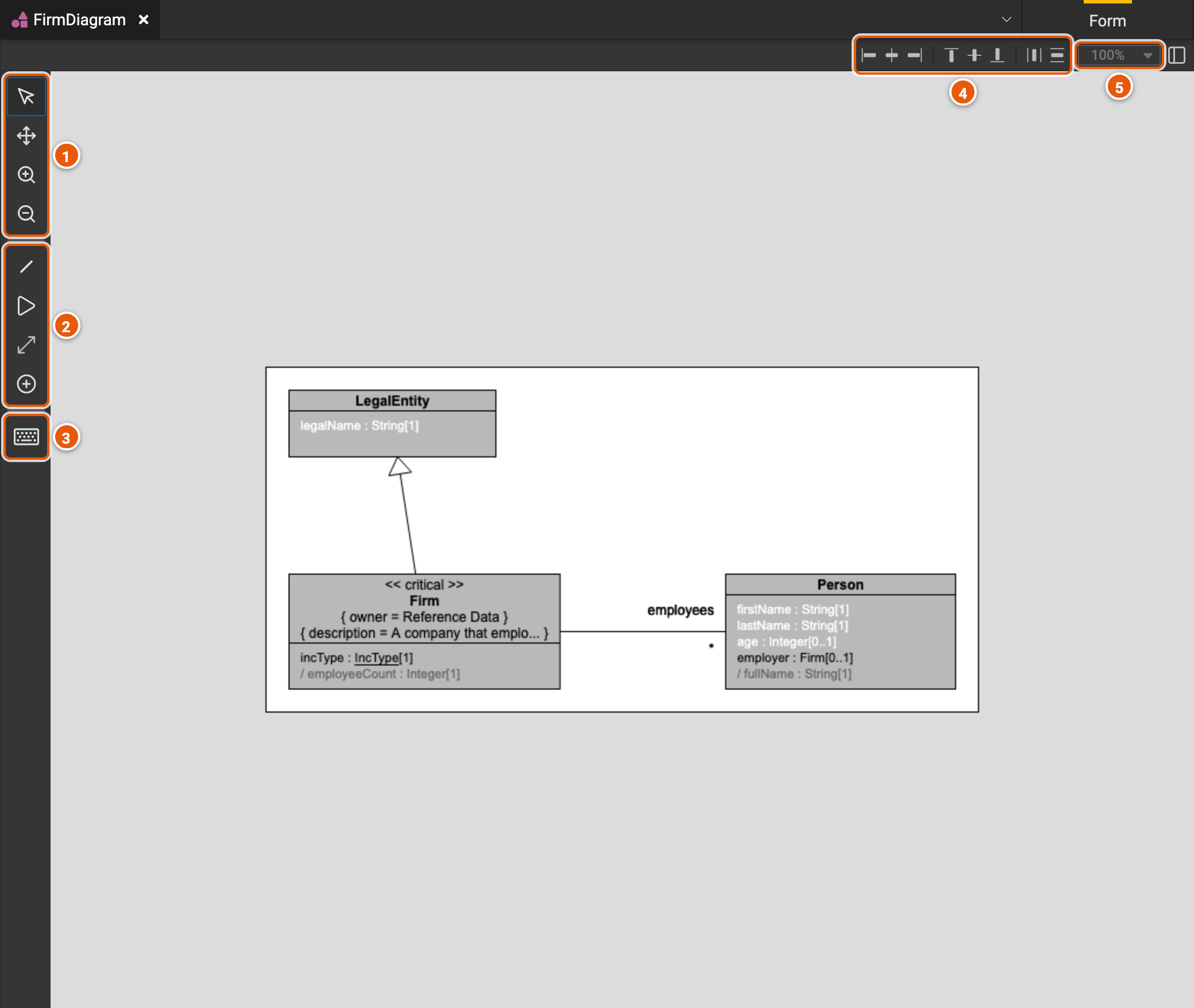
- View (V), to select and move classes, Pan (M), to move around the diagram, and Zoom In and Zoom Out.
- Tools that draw on the diagram: Property (P), a property from one class to another; Inheritance (I), a super type; and Add class (C).
- Show Hotkeys: every keyboard shortcut of the diagram.
- Align the selected classes, left, center or right, top, middle or bottom, and space them evenly.
- The zoom level.