Connecting to data
A model holds no data itself. To query it, you connect it to a store, where the data is kept. Four elements do it:
- A store describes where the data is kept. For a relational database, it is a database element, with its schemas, tables and joins.
- A mapping fills the model's classes from the store.
- A connection says how to reach the store and sign in to it.
- A runtime says which connection each store uses when a mapping reads from it.
The screenshots show the database FirmDatabase, with its tables FIRM and PERSON, the mapping FirmMapping, the connection FirmConnection and the runtime FirmRuntime.
A database
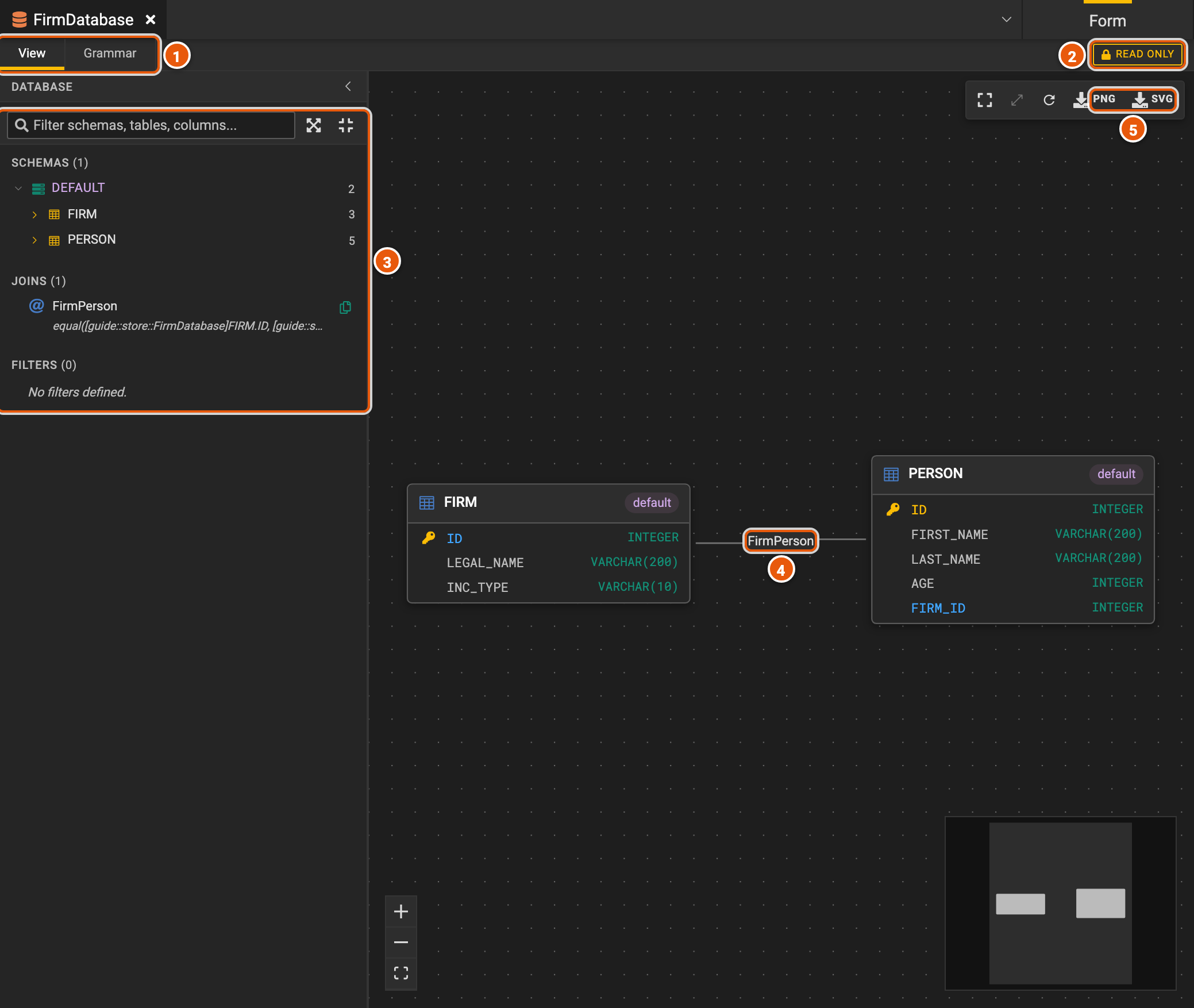
- View draws the database; Grammar is its Legend language text, where you change it.
- READ ONLY: the view only shows the database. Change it in Grammar, or in text mode.
- The database's contents: its schemas, tables and columns, its joins and its filters. Type in the box to filter them by name.
- The tables, drawn with their columns, and the joins between them, such as FirmPerson from a firm to the people it employs. Zoom and fit the drawing with the buttons at the bottom left.
- PNG and SVG save the drawing as an image.
A connection
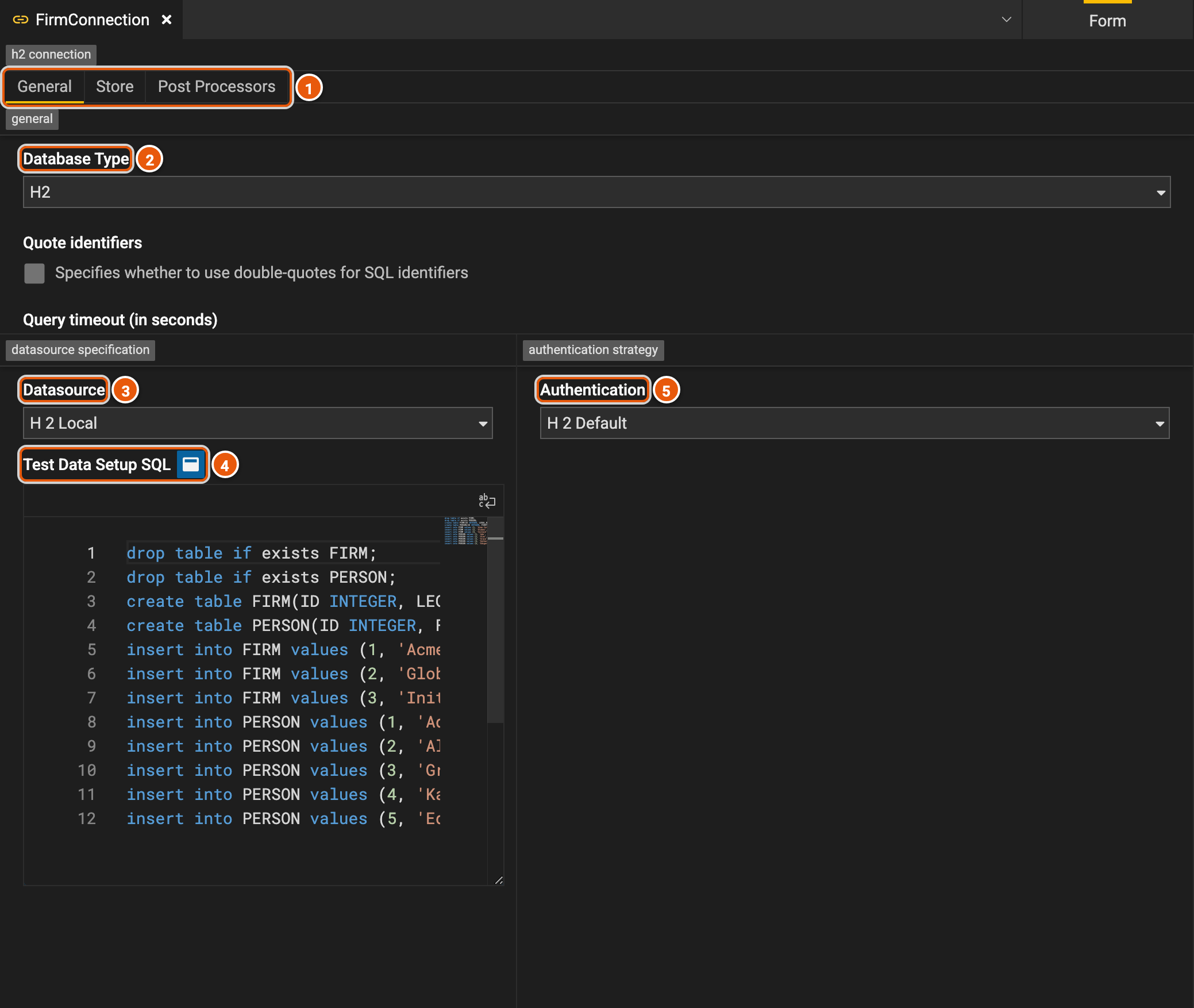
- General, Store, the database the connection is for, and Post Processors, which change the SQL the engine sends, such as to rename a schema.
- Database Type, such as H2, Snowflake, Databricks, BigQuery, Postgres, SQL Server, Redshift, Spanner, Trino or DuckDB.
- Datasource: where the database is, in the terms of its type, such as its host or its account. H2 Local is a database the engine creates in memory.
- Test Data Setup SQL: for an H2 Local database, the SQL that creates its tables and fills them.
- Authentication: how the engine signs in to the database, such as with a user name and a password.
A runtime
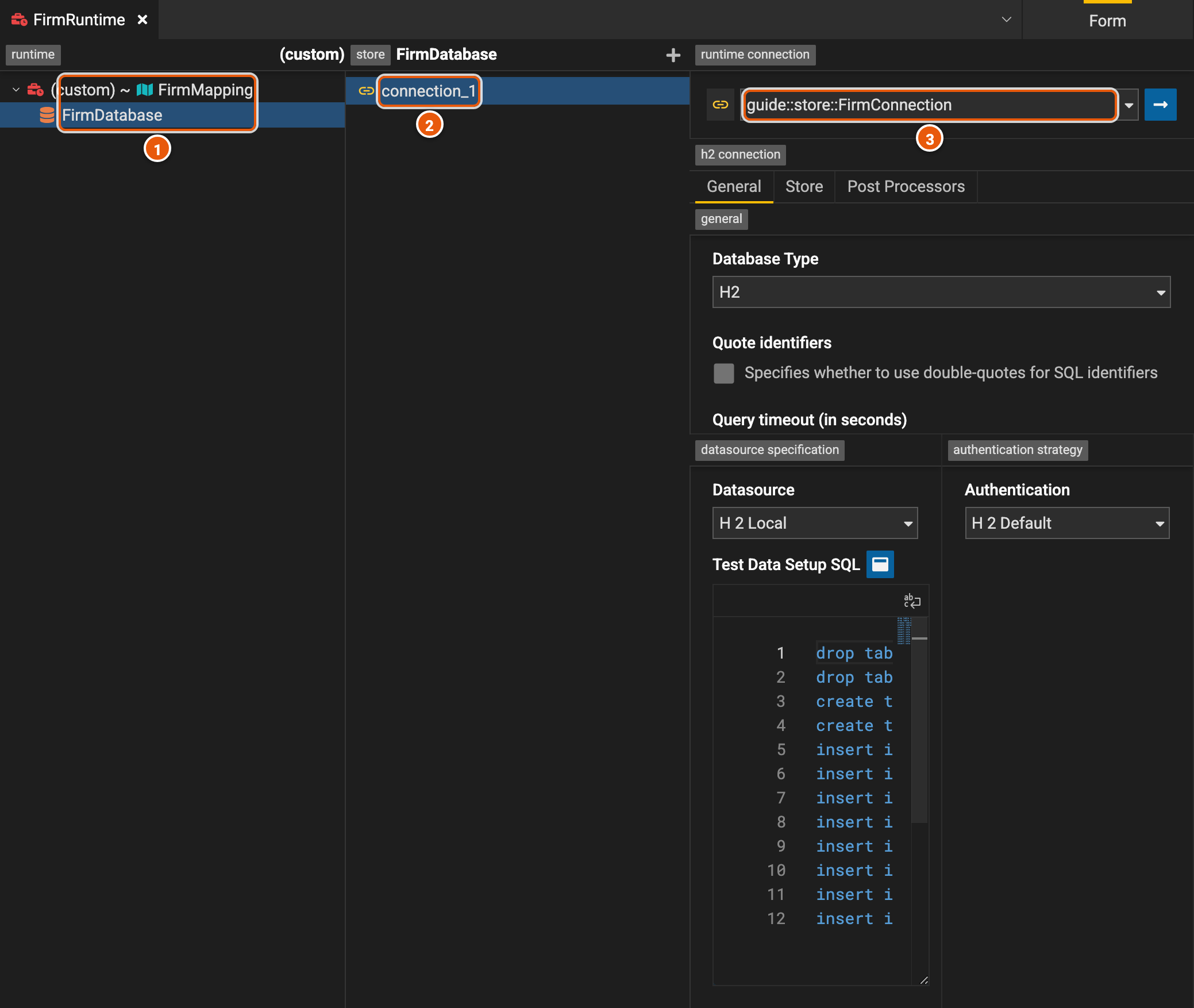
- The runtime's mappings, and under them the stores they read from. Click the runtime to change its mappings, or a store to see its connections.
- The store's connections. + adds one.
- The connection: here, a reference to FirmConnection, whose settings show below it.
Mappings
A mapping's Class Mappings tab holds a class mapping for each class, association or enumeration it fills. Test Suites holds its tests.
From a database
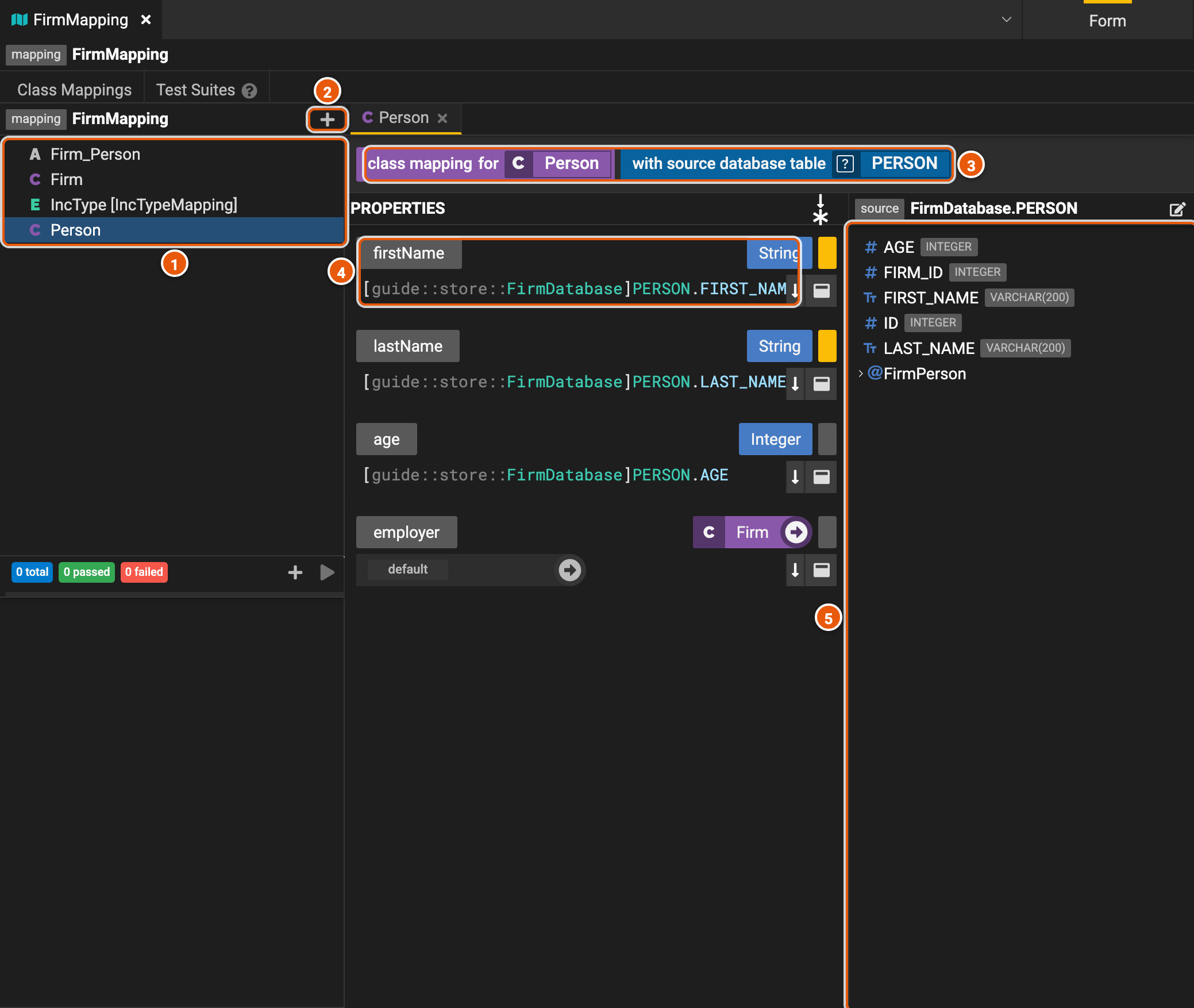
- The class mappings: click one to open it.
- Create new mapping element: maps another class, association or enumeration.
- What the class mapping fills, and from where: here, the class Person, from the table PERSON.
- A property, and how it is filled: here, from the column FIRST_NAME. Drag a column from the source onto a property to fill it from that column. A yellow mark shows a required property; the button above the list switches between listing the required properties first and listing them by type.
- The source: the table's columns, and its joins to other tables, such as FirmPerson, to the firm a person works for.
From another model
A model-to-model mapping fills a class from another class, to change data from one shape into another. Here, EmployeeRecord, a flat record for a report, is filled from Person.
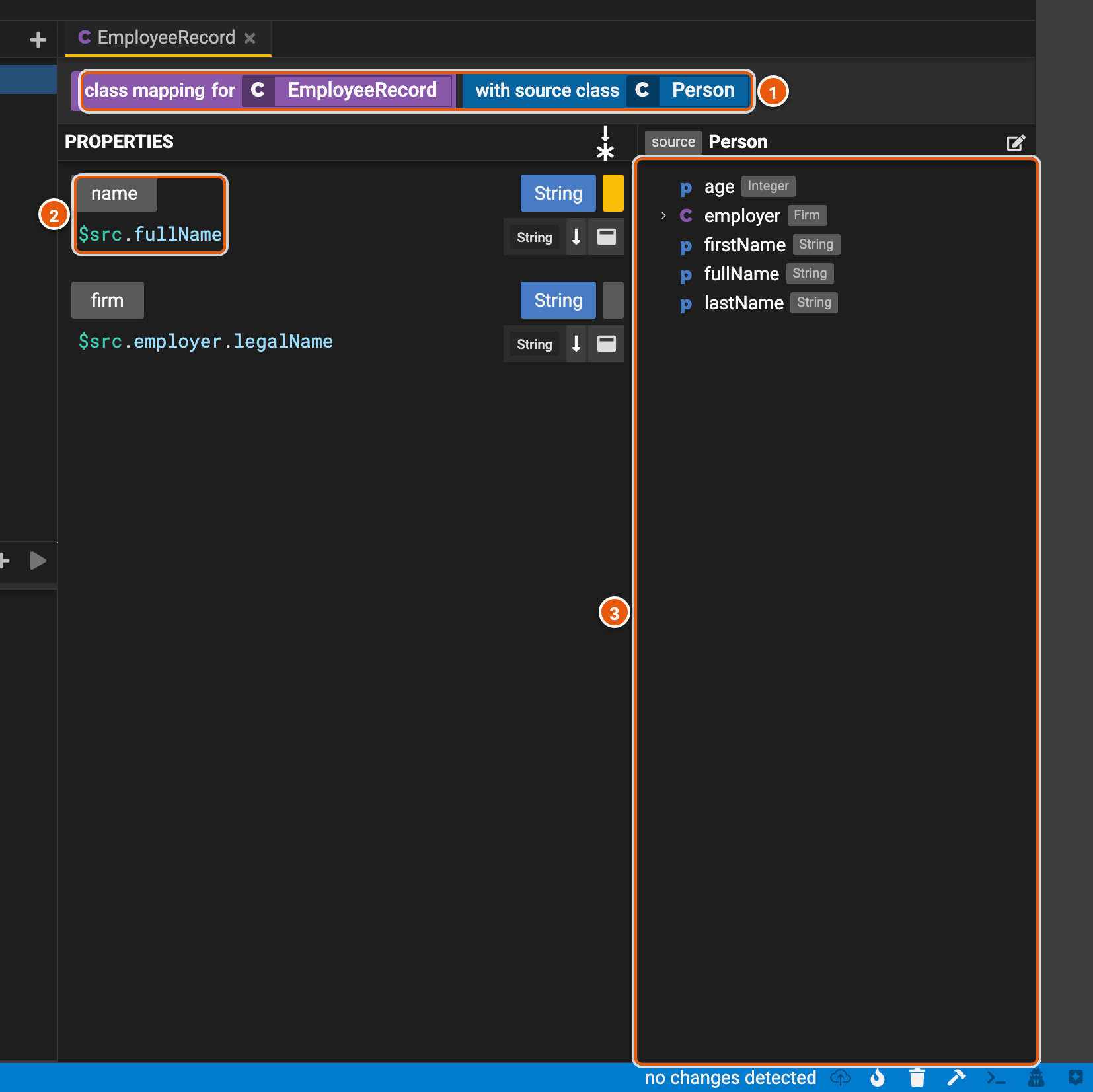
- What the class mapping fills, and from where: the class EmployeeRecord, from the class Person.
- A property, and how it is filled: an expression where
$srcis the source instance. name takes the person's fullName. - The source class's properties: drag one onto a property of the same type to fill it from that property.