Data spaces
A data space is how the people who use a model's data find it. It gathers what they need to query the model: the mappings and runtimes to query with, the classes worth showing, diagrams that explain them, ready-made services, and who to ask for help. Legend Query starts a query from a data space, and Legend Studio previews one as its users will see it. Here, FirmData is the data space of firm-model.
Create one with New Element... › Data Space, under Query.
Home
The editor opens on Home.
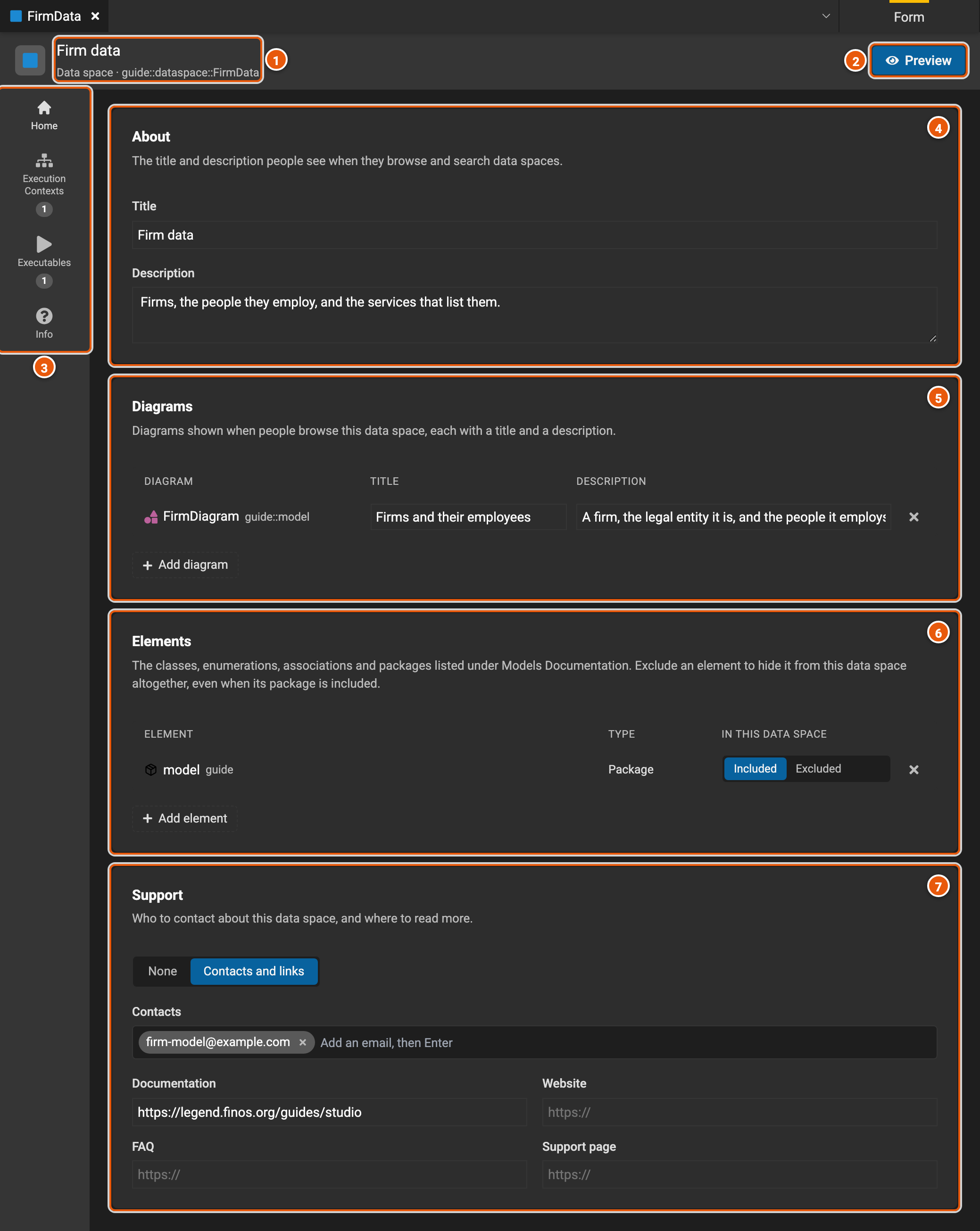
- The data space's title and path.
- Preview shows the data space as its users will see it (see Preview).
- The editor's pages: Home; Execution Contexts and Executables, with how many of each the data space has; and Info.
- About: the title and the description people see when they browse and search data spaces.
- Diagrams: the diagrams people see, each with a title and a description. Add diagram picks one of the project's diagrams.
- Elements: the classes, enumerations, associations and packages documented for people. A package brings in everything in it; mark an element Excluded to leave it out, even when its package is in.
- Support: who to contact and where to read more, with emails and links to documentation, a website, an FAQ and a support page. None removes it.
Execution contexts
An execution context is a mapping and a runtime to query the data space with. A data space has one or more, one of them the default, so that its users can pick the data they query, such as another environment's database.
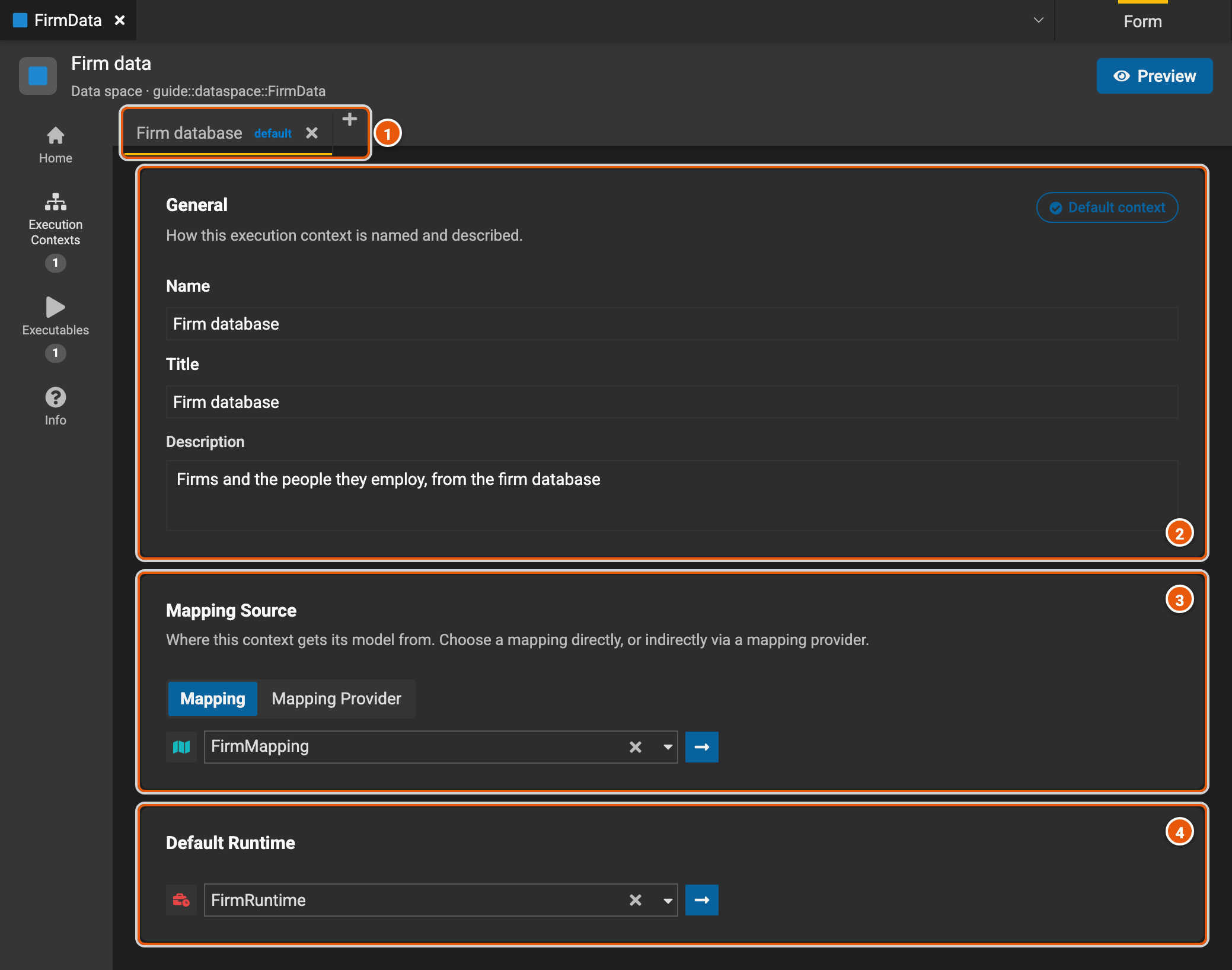
- The execution contexts, one tab each, with default on the default one. + adds one, and × deletes it.
- General: the context's name, which the data space refers to it by, its title and its description. Default context shows that this context is the default, or makes it so.
- Mapping Source: the mapping the context queries through, picked directly (Mapping) or through another element that provides it (Mapping Provider). The arrow opens it.
- Default Runtime: the runtime the context runs its queries with. The arrow opens it.
Executables
An executable is something people can run from the data space as it is, such as a service.
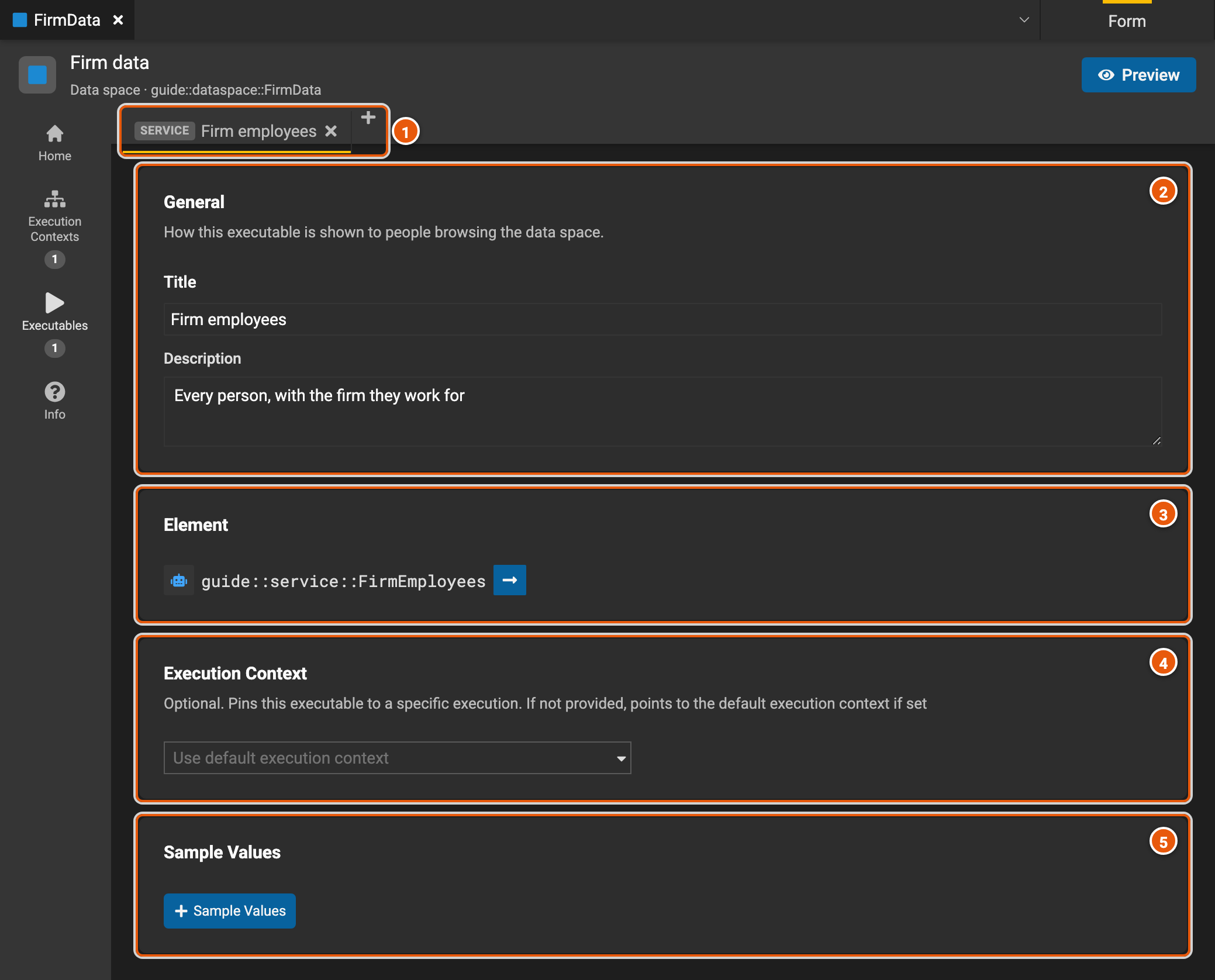
- The executables, one tab each, marked with their kind, such as SERVICE. + adds one, and × deletes it.
- General: the title and the description people see.
- Element: the service or function it runs. The arrow opens it.
- Execution Context: which of the data space's execution contexts it runs with. Left empty, it runs with the default one.
- Sample Values: a few example rows of what it returns.
Info
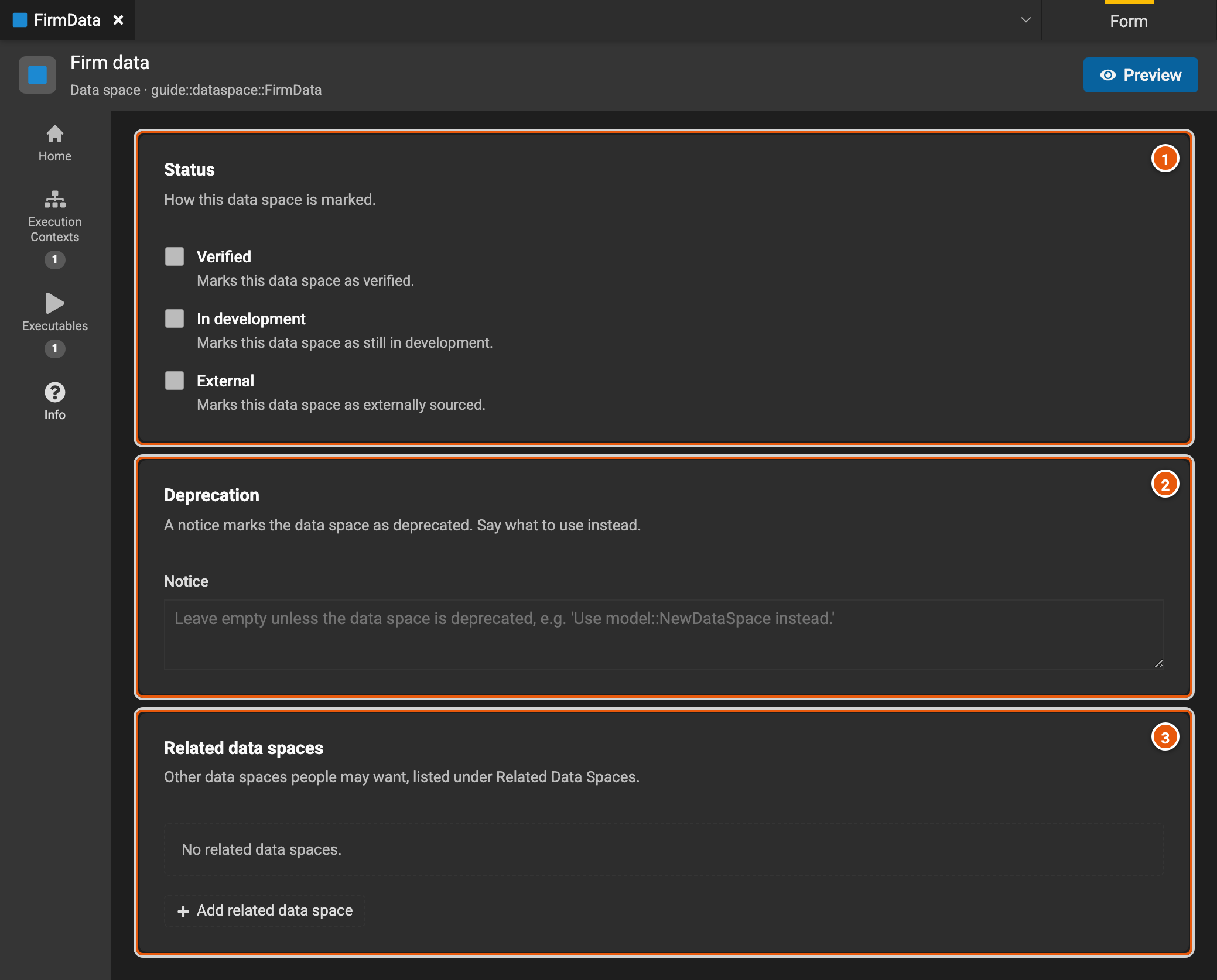
- Status: marks the data space Verified, In development or External, for its users to see.
- Deprecation: a notice that marks the data space as deprecated, saying what to use instead.
- Related data spaces: other data spaces its users may want, from the released versions of other projects. Add related data space picks one.
Preview
Preview shows the data space as its users will see it, such as in Legend Query, from the editor's current state.
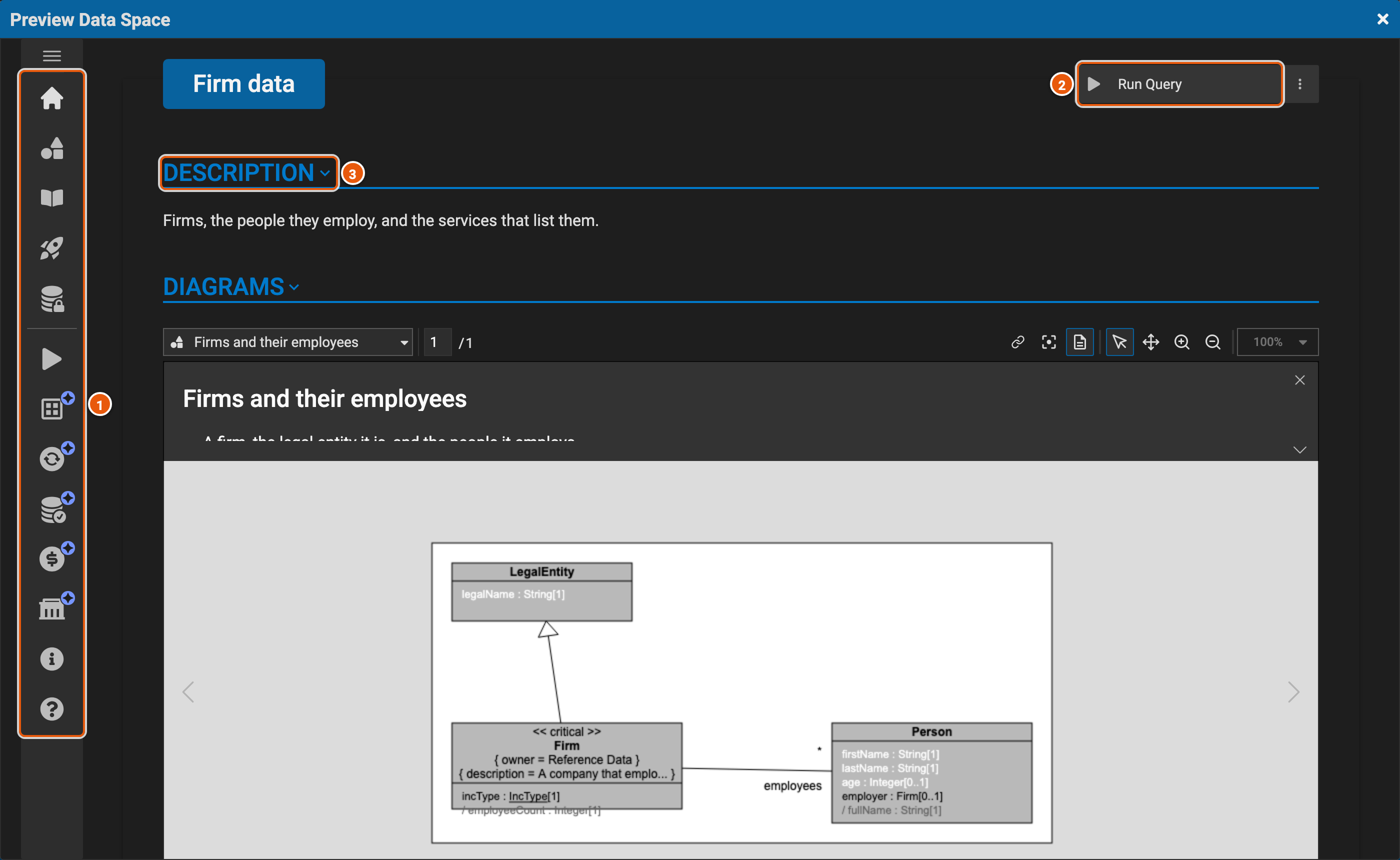
- Its sections: Description, Diagrams, Models Documentation, Quick Start, Data Access and Execution Context; then Data Stores, Data Availability, Data Readiness, Data Cost and Data Governance, which are still in progress; then Info and Support. Click one to go to it.
- Run Query: where its users start a query on the data space. The preview doesn't run queries.
- The sections, one after the other, starting with the description and the diagrams.