Review and release
A change reaches the people who use a project in three steps. You push it to your workspace, the project's members review it and commit it to the project, and a release makes a version of the project that other projects and applications can depend on. Below, a change adds an email to Person, from the workspace firm-employees to the project's next release.
Local changes
What you change stays in your browser until you push it. The status bar counts it, and Local Changes (Ctrl+Shift+G), in the activity bar, lists it.
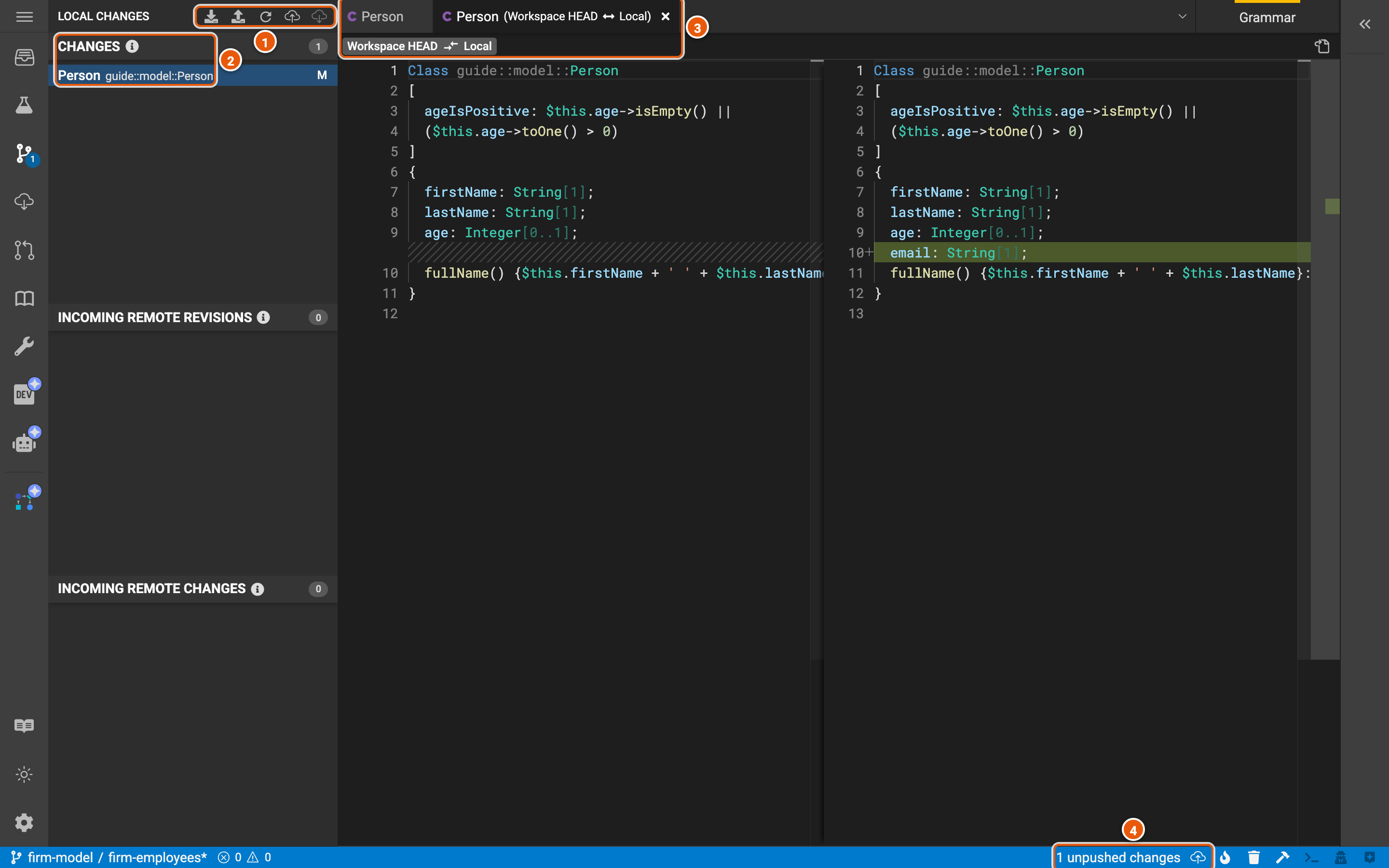
- The panel's actions: Download local entity changes saves your changes to a JSON file, and Upload local entity changes applies such a file's changes to the workspace. The others are Refresh, Push local changes, and Pull remote workspace changes, which brings in what others pushed to the same workspace.
- The changes: each element you've changed, marked N when new, M when modified, R when renamed and D when deleted. Click one to see what changed. Incoming remote revisions and Incoming remote changes, below, list what others pushed to the workspace since you opened it.
- The difference: the element as the workspace has it (Workspace HEAD), on the left, and as you've changed it (Local), on the right, where the new line shows in green.
- 1 unpushed changes: how many changes you haven't pushed. Push local changes (Ctrl+S) saves them to the workspace.
Review
Review (Ctrl+Shift+M) asks for the workspace's changes to be committed to the project. Type a title, then Create review. The SDLC server keeps the review as a merge request in the project's GitLab repository.
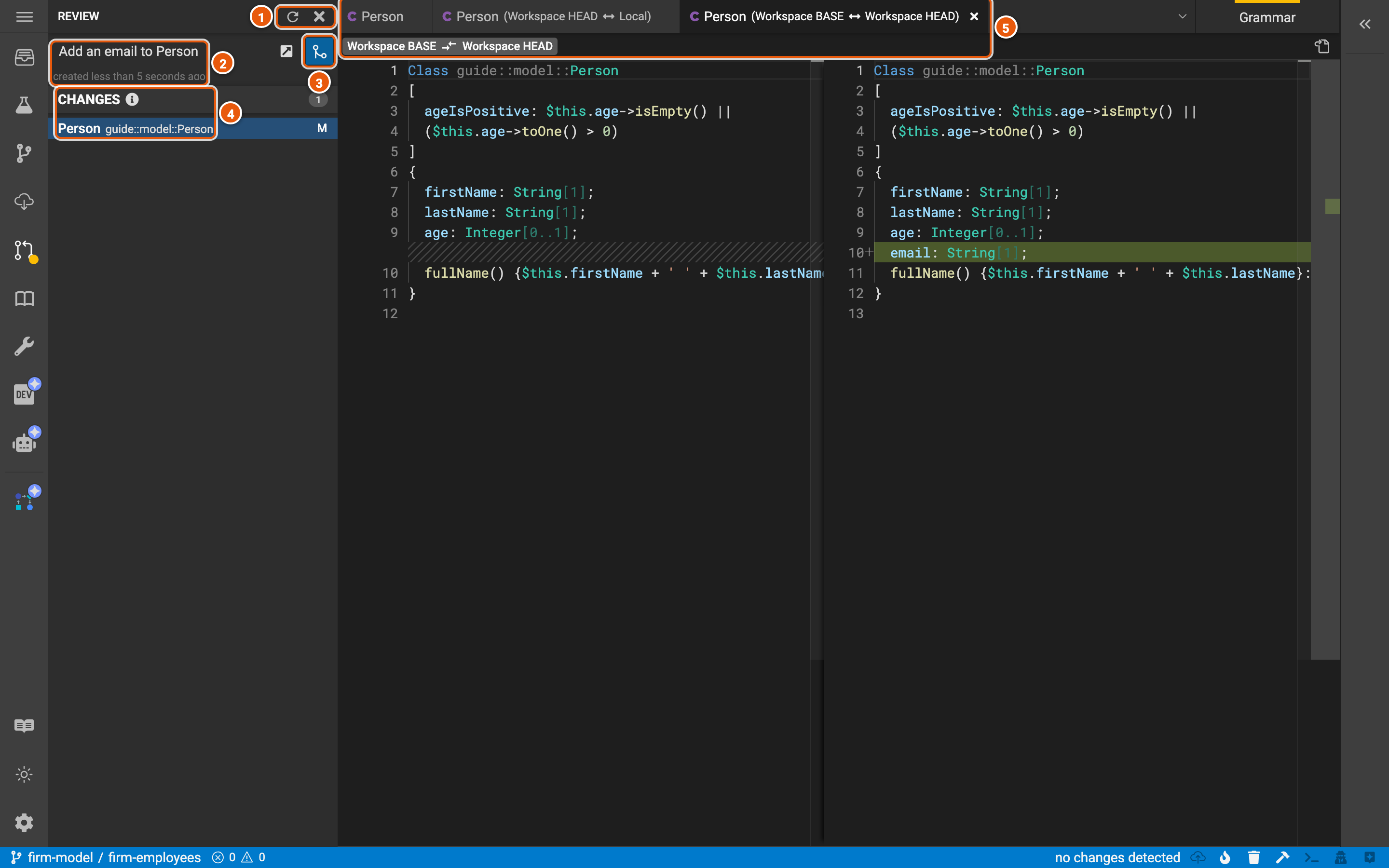
- Refresh, and Close review, which closes it without committing it.
- The review: its title and when it was created. The icon beside it opens the review in Legend Studio, where the project's members see its changes and Approve review.
- Commit review commits the changes to the project, once the review is approved as the project requires. Legend Studio then offers to create the workspace again, from the project's latest revision.
- The changes the review commits: what the workspace changed since it was created. Click one to see what changed.
- The difference: the element when the workspace was created (Workspace BASE) and now (Workspace HEAD).
Update your workspace
Update Workspace (Ctrl+Shift+U) lists what others committed to the project since your workspace was created: its changes, and the reviews that committed them. Update workspace brings them into your workspace.
Release a version
Project, in the activity bar, has the project's overview, its releases, its versions, its workspaces and its patches. Release makes a new version of the project from its latest revision.
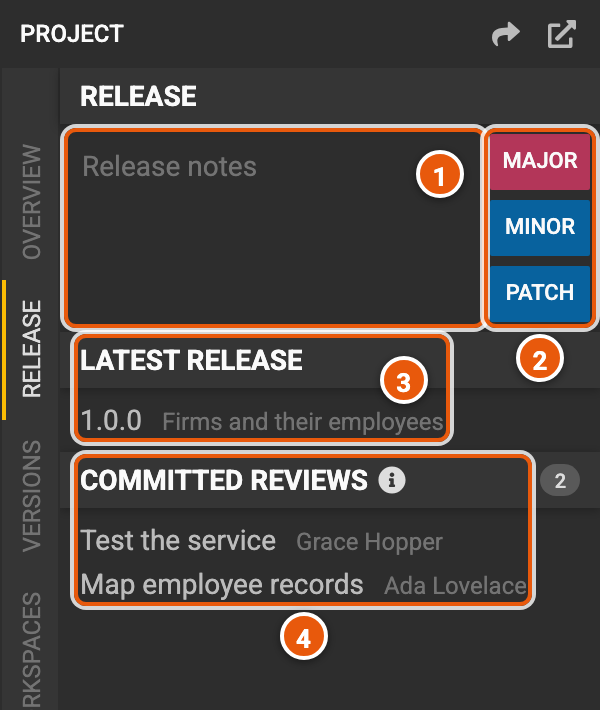
- Release notes: what the version brings.
- MAJOR, MINOR and PATCH create the version, numbered after the latest: a major release for changes that aren't backward compatible, a minor one for backward-compatible features, and a patch for backward-compatible fixes.
- Latest release: the project's latest version and its notes. Click it to view the project at that version.
- Committed reviews: the reviews committed since the latest release, which the new version brings.
Versions lists every version of the project. Other projects depend on a version, in their project configuration.