Data spaces
A data space is what a model offers the people who use its data. It holds:
- the classes worth querying;
- the mappings and runtimes to query them with;
- documentation and diagrams that explain them;
- ready-made queries.
Its authors write it in Legend Studio (see the Legend Studio guide). In Legend Query, you start a query from one.
Pick a data space
Pick a data space in Data Space. The Properties panel then shows what the query runs on.
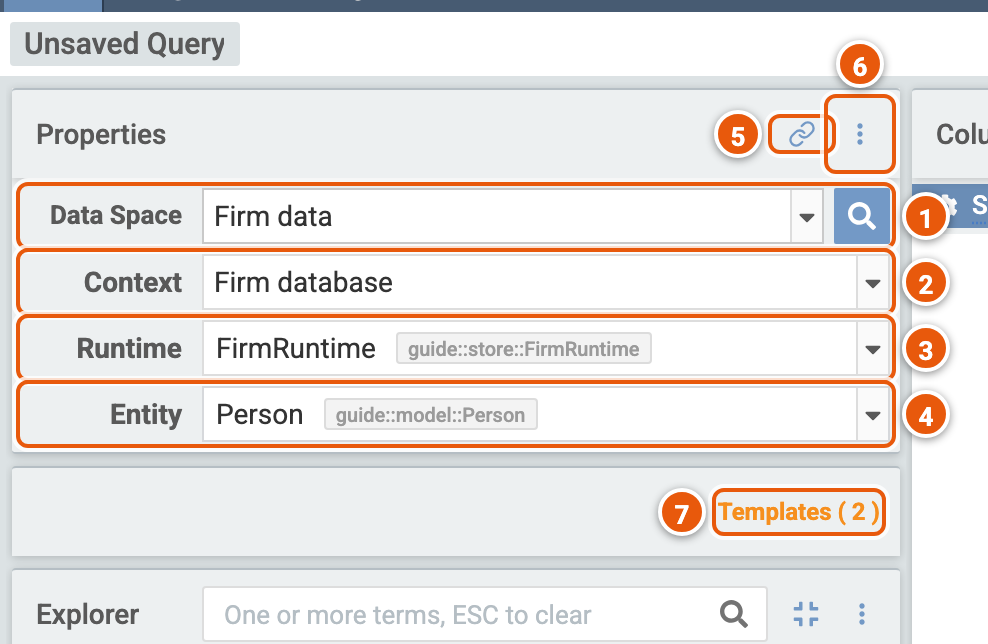
- Data Space: the data space you query. The magnifier beside it searches data spaces (see Search for a data space).
- Context: the execution context, the mapping and the runtime the query runs with, such as a database, or sample data to try queries on. It shows when the data space has more than one. Pick another to query its data instead: the entity stays if the new context's mapping maps it.
- Runtime: the runtime the query runs with, among those that can run the context's mapping. It shows once you tick Show Runtime Selector (6). Pick one other than the context's default, and Legend Query keeps it for the context next time; an arrow beside it goes back to the default.
- Entity: the class to query, among those the data space shows and the context's mapping maps.
- copy data space query set up link to clipboard: copies a link that opens a new query on this data space, context, runtime and entity. On a saved query, it copies the query's link.
- Show Settings...: Show Runtime Selector shows the Runtime row.
- Templates: the data space's ready-made queries, with how many it has (see Templates).
Templates
Templates lists the queries the data space's authors made ready: its services, and queries written in the data space.
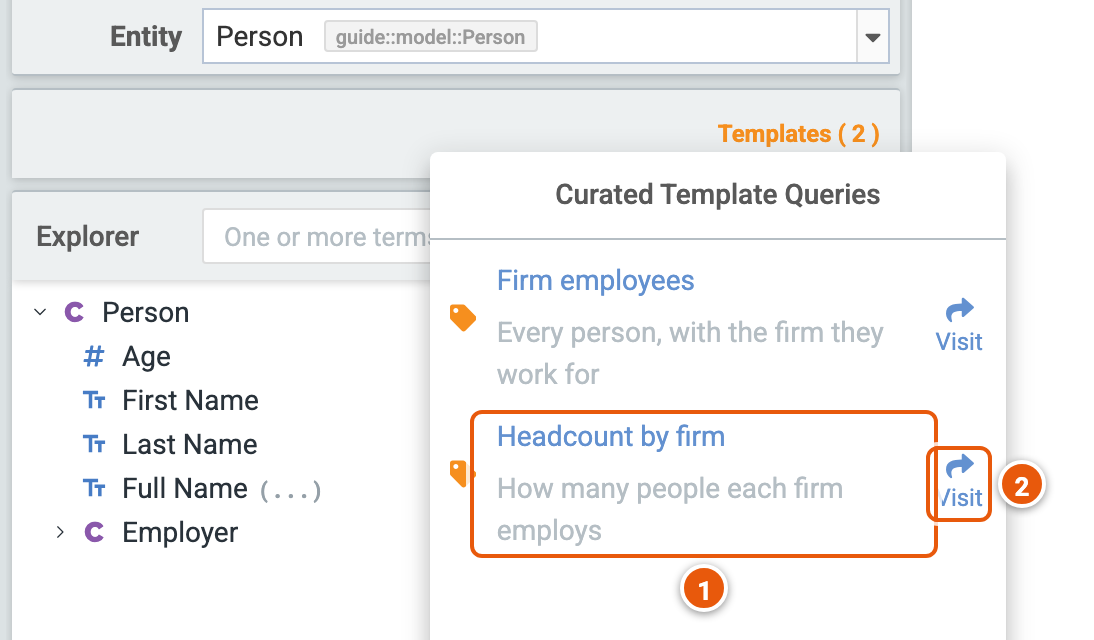
- A template: click it to load its query in the query builder, in the execution context it names. If you changed the query, Legend Query asks before replacing it.
- Visit...: opens the template in a new tab, at an address of its own, to bookmark or share.
Search for a data space
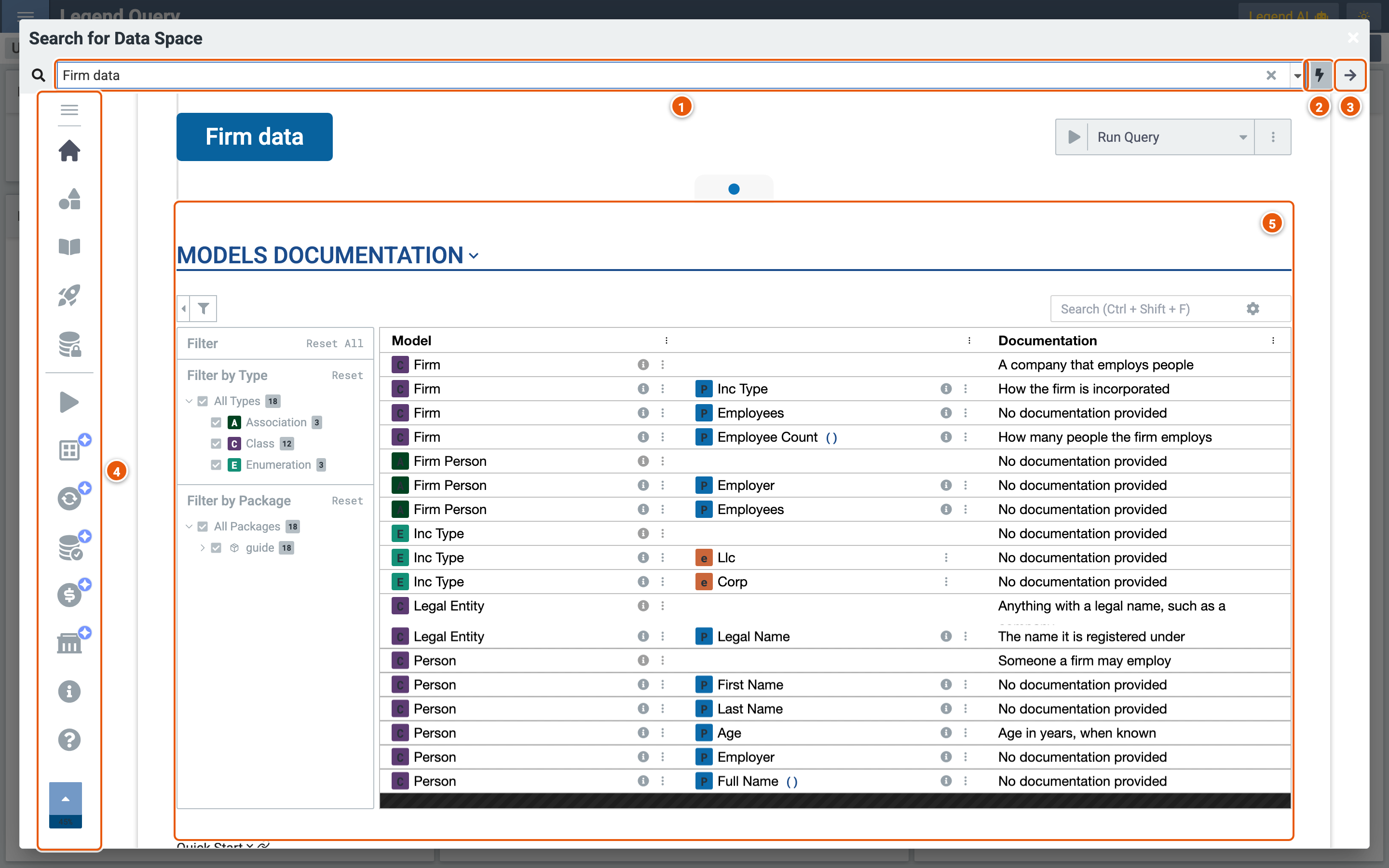
The magnifier beside Data Space opens Search for Data Space. Pick a data space there to read what it documents, then query it.
-
Search for data space by name...: the data spaces, by title.
-
The lightning: lists the data spaces of the projects' snapshots, their latest changes not yet released, rather than of their releases.
-
Proceed to create query: opens a new query on the data space, with the context and runtime picked in its Execution Context section.
-
The sections, one after the other. Click one to go to it:
- Description;
- Diagrams: the model's diagrams;
- Models Documentation (5);
- Quick Start: its ready-made queries (see below);
- Data Access: the data its queries read, and whether you can access it;
- Execution Context: its contexts and their runtimes;
- Info: the project and version it comes from;
- Support: whom to ask, and where to read more.
The sections marked Work In Progress aren't finished.
-
Models Documentation: the classes, properties, associations and enumerations the data space documents, with their documentation. Filter them by type and package on the left, or search them.
Quick start
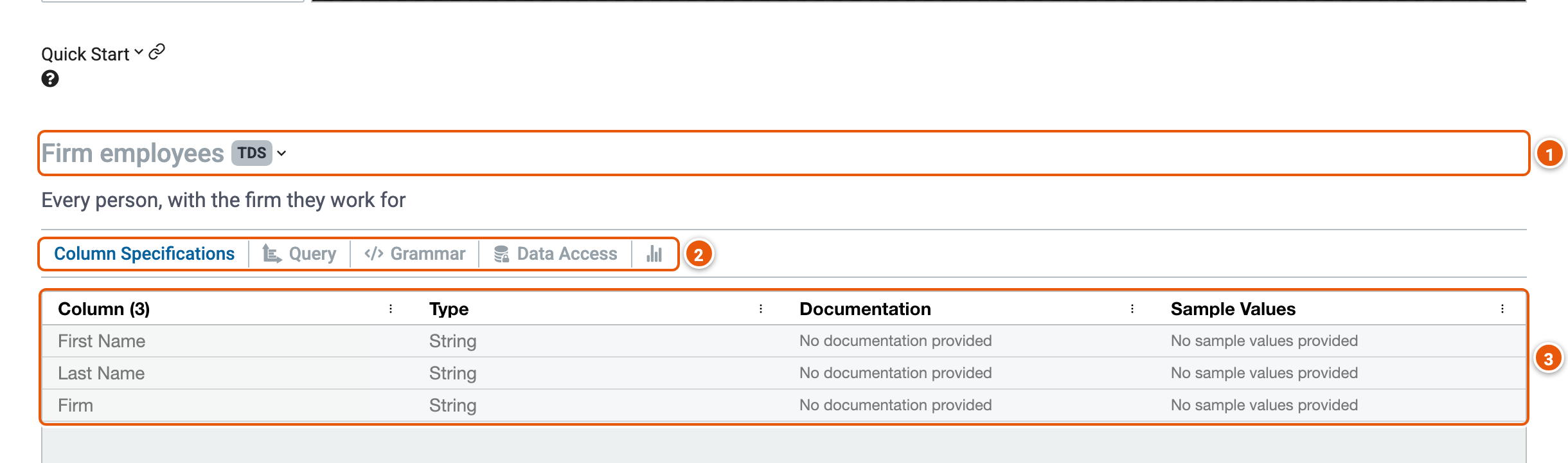
- A ready-made query: its title, and the kind of result it returns, such as TDS, rows of a table.
- Its tabs:
- Column Specifications: the columns it returns.
- Query: Open in Query opens a new query, in a new tab, with a copy of a service's query.
- Grammar: its query in the Legend language.
- Data Access: the data it reads.
- The last tab, its usage statistics, is still in progress.
- The columns: each one's name, type and documentation, and sample values where the data space's authors give them.
About Data Space
Help... › About Data Space shows where the query's data comes from.
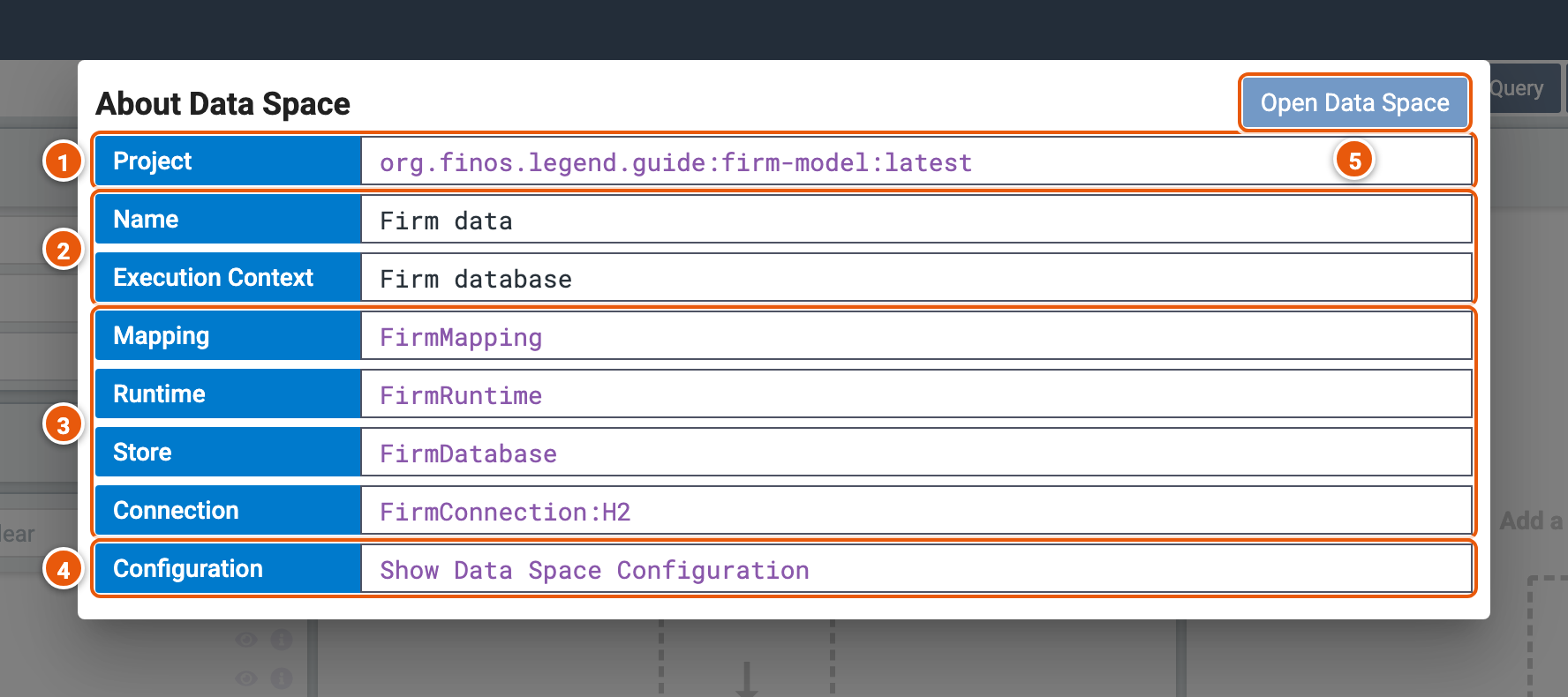
- Project: the project and version the data space comes from. Click it to open the project in Legend Studio.
- Name and Execution Context: the data space's title, and the context the query runs with.
- Mapping, Runtime, Store and Connection: what the context queries through, with the kind of database, such as H2. Click one to open it in Legend Studio.
- Configuration: Show Data Space Configuration opens the data space itself in Legend Studio.
- Open Data Space: opens the data space in Legend Marketplace.