Getting started
Legend Query opens on a new, empty query. To start, pick a data space: the data you want to query.
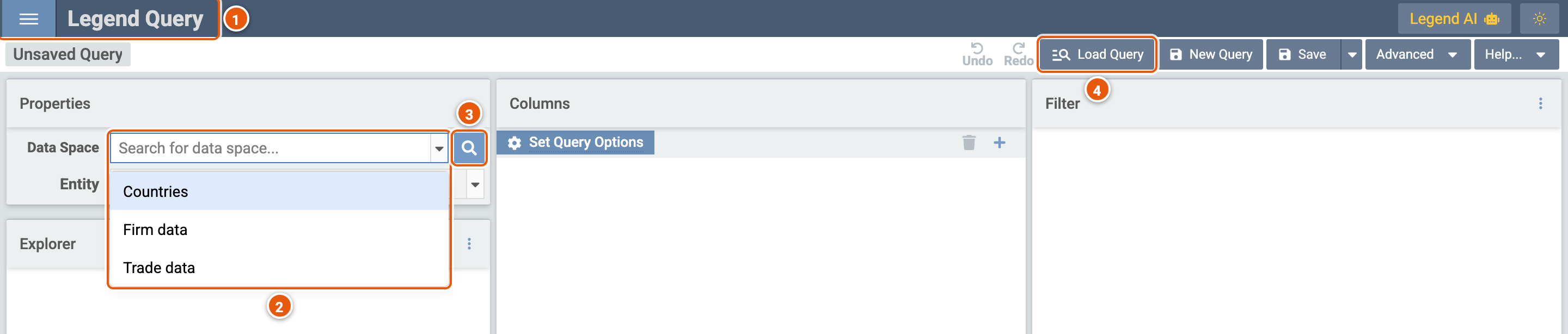
Click the image to see it full size.
- ☰: the menu. Back to query setup opens the setup page (see below) in a new tab, Documentation opens Legend's documentation, and Dev Settings holds settings for Legend's developers, such as which engine to call.
- Data Space: the data spaces released in Legend's projects. Type part of a data space's title to find it, then pick it to start a query on it (see Data spaces).
- Search for data space: a larger search, which shows what a data space holds before you query it (see Search for a data space).
- Load Query: opens a query you or someone else saved (see Load a query).
The setup page
☰ › Back to query setup opens the setup page, with other ways to start a query.
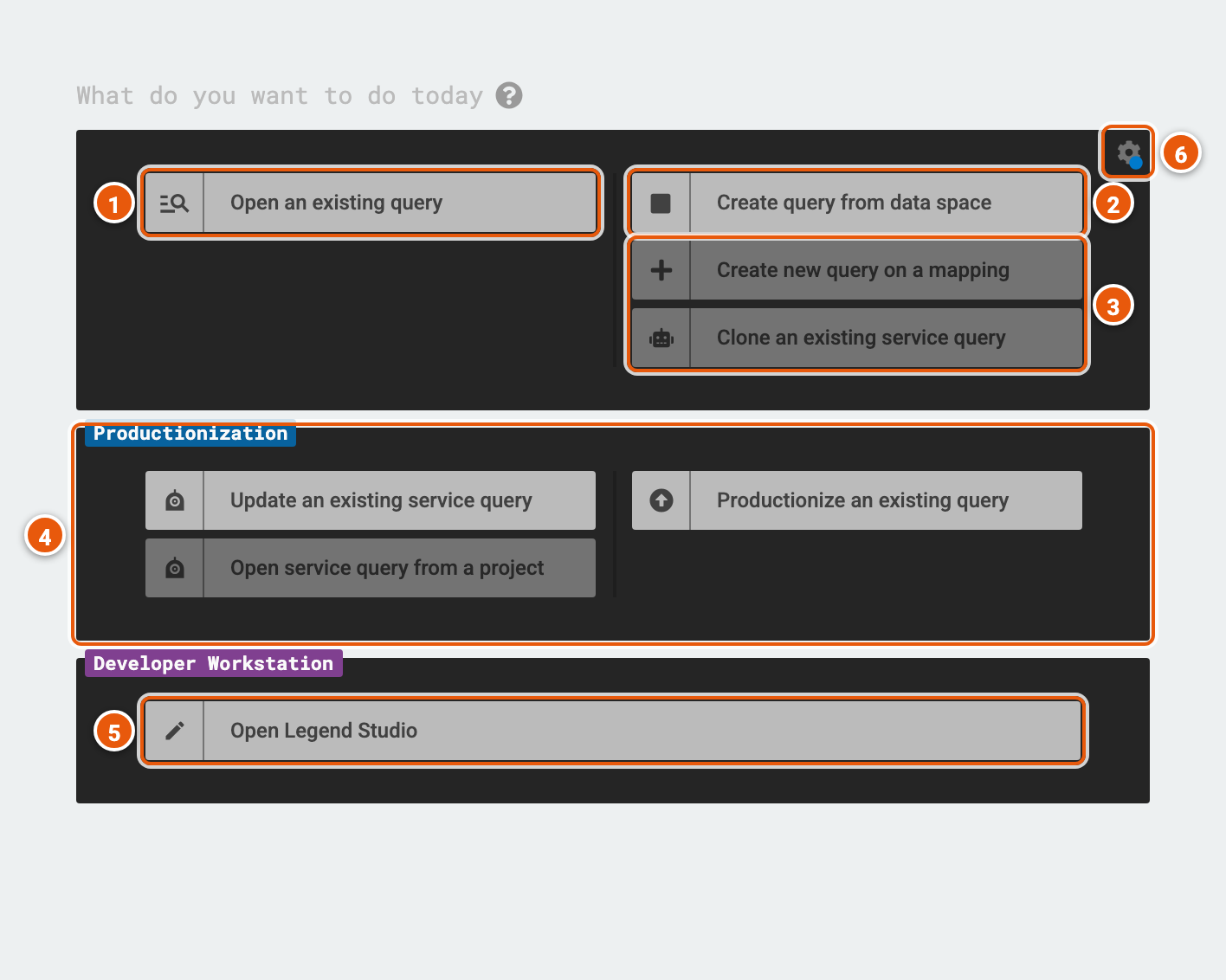
- Open an existing query: finds a saved query and opens it (see Open an existing query).
- Create query from data space: a new query, as Legend Query opens on.
- Create new query on a mapping queries a mapping and a runtime you pick rather than a data space's (see A query on a mapping). Clone an existing service query starts from a copy of a service's query.
- Productionization: hands a query over to Legend Studio. Productionize an existing query makes a saved query a service in a project. Update an existing service query and Open service query from a project change a service's query.
- Open Legend Studio.
- Show settings...: which actions the page shows.
At first, the page shows only Open an existing query and Create query from data space. Show advanced actions, the ... under them, adds the actions on a mapping and on a service. Show all action groups, the arrow below, adds Productionization and Open Legend Studio. The page keeps these choices in its address, so a bookmark opens it the same way.
Open an existing query
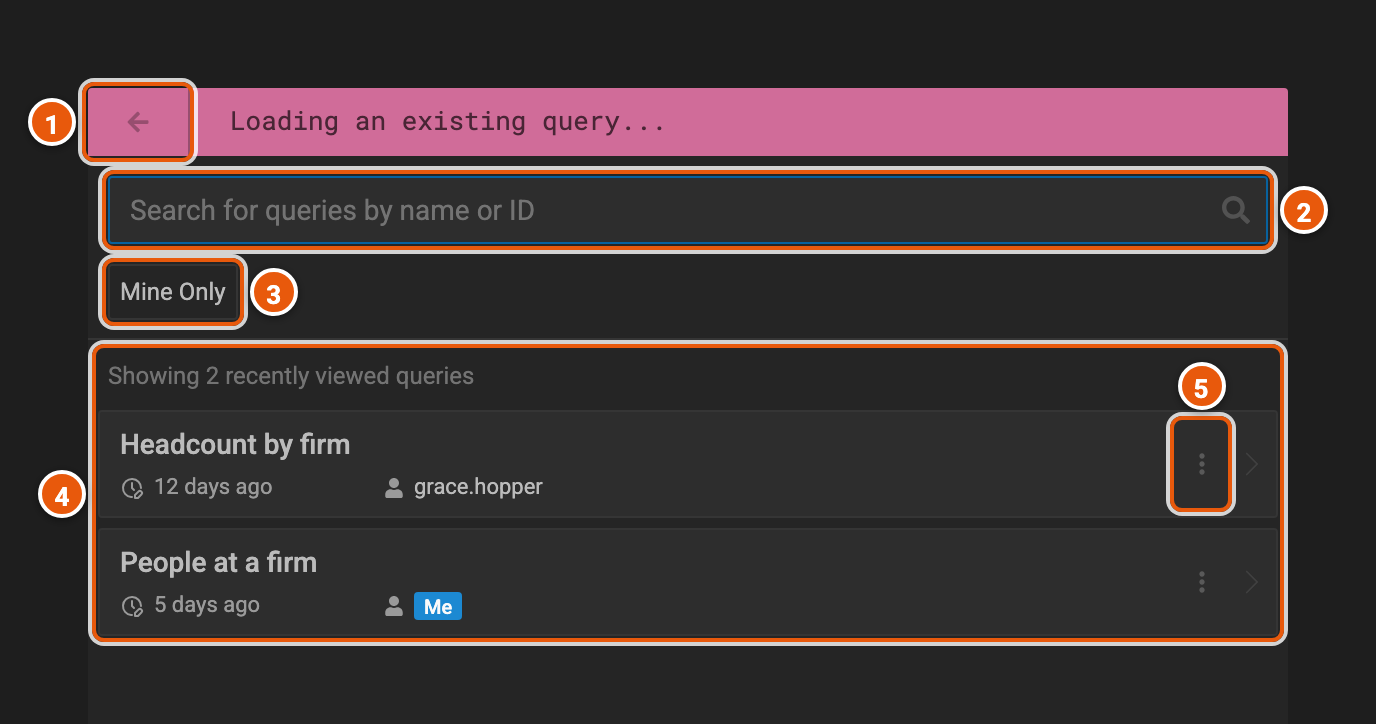
- Back to Main Menu: back to the setup page.
- Search for queries by name or ID: type two characters or more to search every saved query.
- Mine Only: only the queries you saved.
- The queries: before you search, the ones you opened last; before you've opened any, a few saved queries. Each shows how long ago it was last changed, and who owns it: Me for yours. Click a query to open it.
- More Actions...: Show Query Preview shows the query in the Legend language, and Show Query History its earlier versions. Delete and Rename are for your own queries.
A query on a mapping
A mapping says where a model's data comes from, and a runtime how to reach it. A data space chooses them for you; on the setup page, Create new query on a mapping lets you choose them yourself.
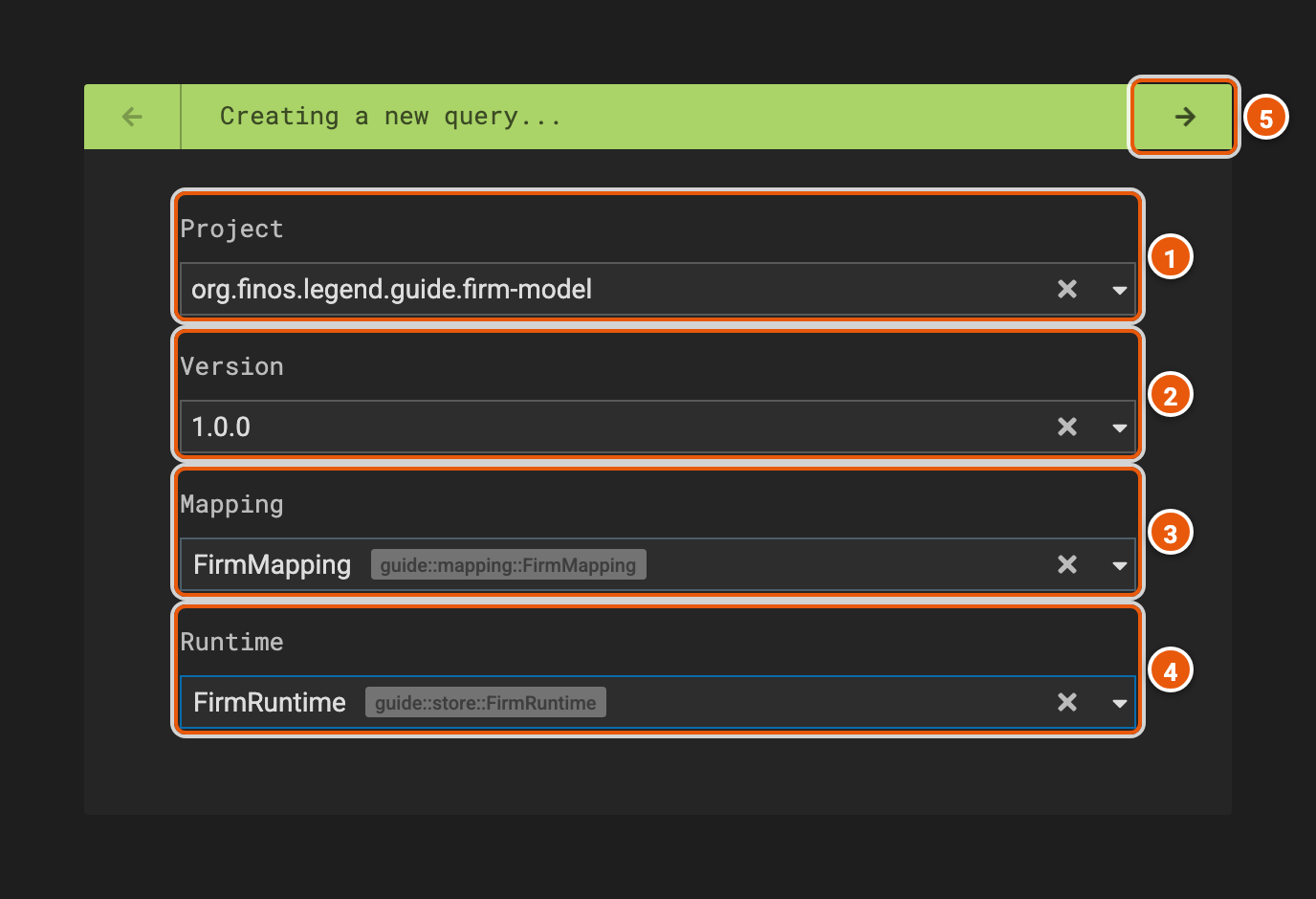
- Project: one of the projects in the depot, where Legend keeps the projects' released versions.
- Version: one of the project's released versions, or latest, its most recent.
- Mapping: the mapping to query through.
- Runtime: the runtime to run the query with, among those that use the mapping. Picking a mapping picks the first.
- Create a new query: opens the query in the editor.
Clone an existing service query asks for a project, a version and one of its services, then opens a new query with a copy of the service's query, mapping and runtime.