Group by Column
Makes one row for each combination of the group columns' values, with aggregations of the rows in it.
Here it gives each country's total amount and number of sales. The cube runs on the sample sales (country, product, year, amount and price; the example "Sales by country and year").
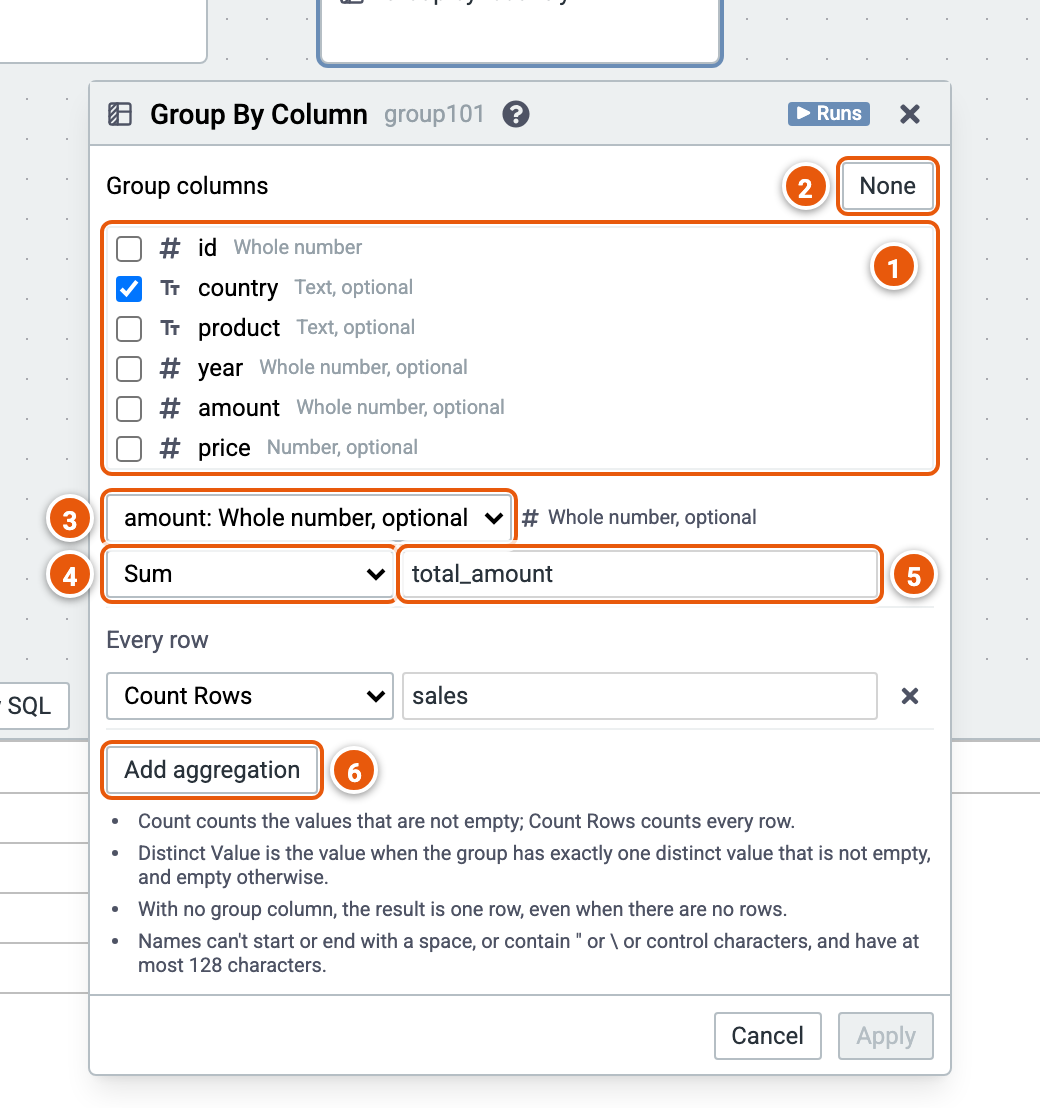
- Group columns: tick the columns to group by.
- None unticks them all: one row for all the rows.
- The column an aggregation reads.
- The aggregation: Count, Distinct Count, Distinct Value, Sum, Average, Min, Max, or Count Rows. Count Rows reads no column, so it shows under Every row.
- The new column's name.
- Add aggregation.
Good to know:
- Count counts the values that aren't empty; Count Rows counts every row.
- With no group column, the result is one row, even when there are no rows.