The results
Execute (F9) runs the query up to the step marked Runs, and its rows show in the grid below the graph. Rows caps how many come back. After a change, the results say they are stale until you execute again.
The pictures below use the example Top customers by orders.
Server-side or Local
The grid works in one of two ways:
- Server-side: each sort and drill-down runs on the engine, over every row of the query, not only the rows fetched.
- Local: the grid groups, pivots and filters the rows already fetched, in the browser.
A cell's menu
Right-click a cell:
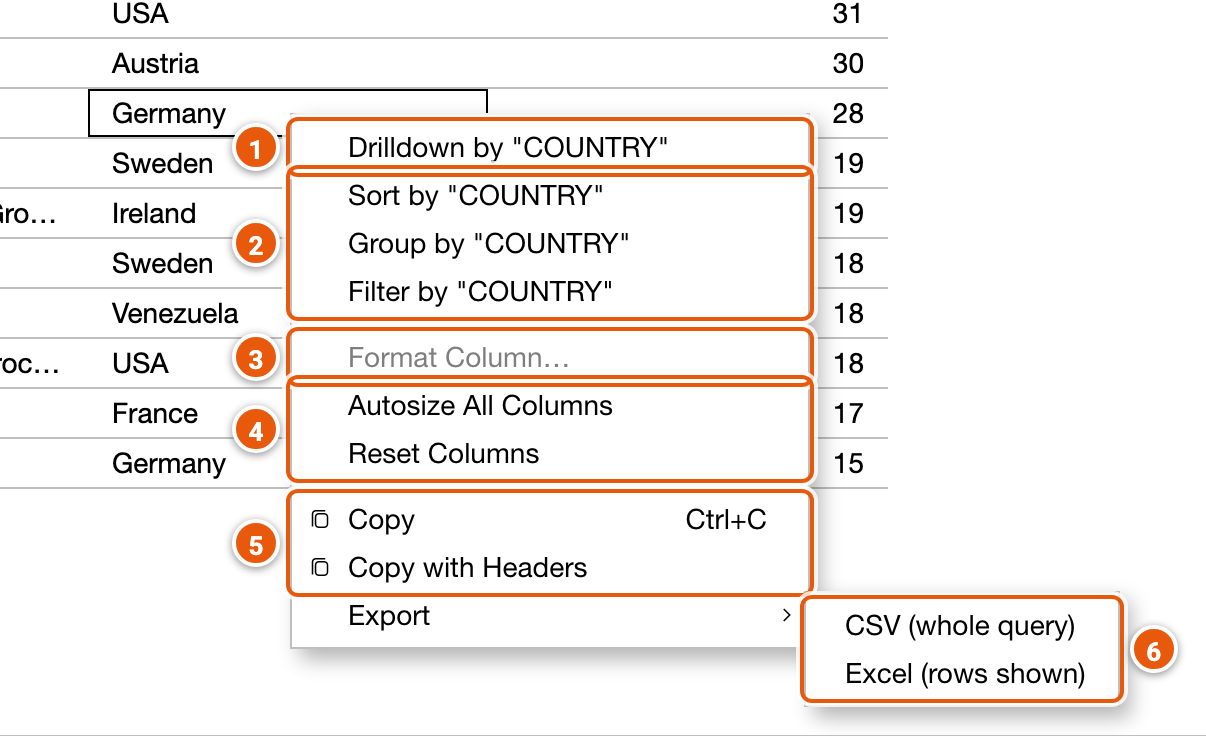
- Drilldown by the cell's column: see Drilling down.
- Sort by, Group by or Filter by the cell's column: each adds that step after the step that runs, as one change to undo; Filter by keeps the rows holding the cell's value. Nothing runs until you execute.
- Format Column…: how a number column's values show (greyed out on other columns); see Formatting a column.
- Autosize All Columns to their contents, or Reset Columns to how they were.
- Copy the cell, or Copy with Headers.
- Export: CSV (whole query) runs the query on the engine with no row limit, sorted as the grid is, and saves every row; Excel (rows shown) saves the rows the grid shows.
A column header's menu (⋮) sorts the grid by the column, pins it, autosizes it, chooses the columns shown, or resets them. That sorts the grid only; Sort by, in a cell's menu, adds a step to the query.
Drilling down
Drilldown by a column groups the rows by its values: a group row for each value, opened to see its rows.
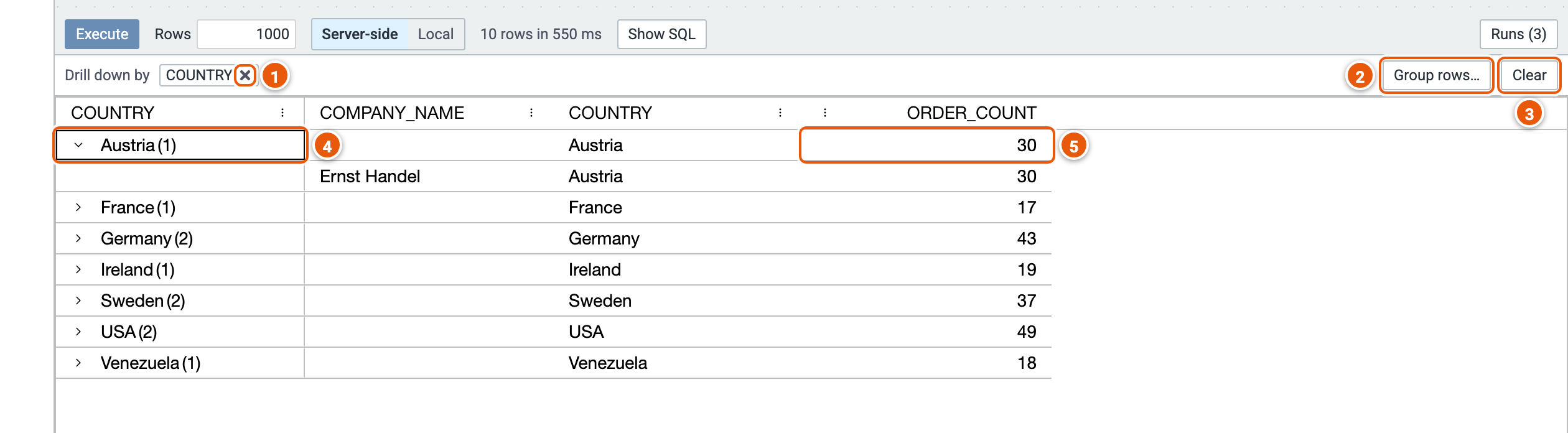
- Drill down by: the columns drilled down by, a level each. × stops drilling down by one.
- Group rows…: what each group row shows in the other columns (below).
- Clear stops drilling down.
- A group row, with how many rows it holds; open it to see them.
- The group's value in another column: here the sum of its rows' ORDER_COUNT.
In Server-side mode, each level, and each group opened, runs on the engine.
Group rows
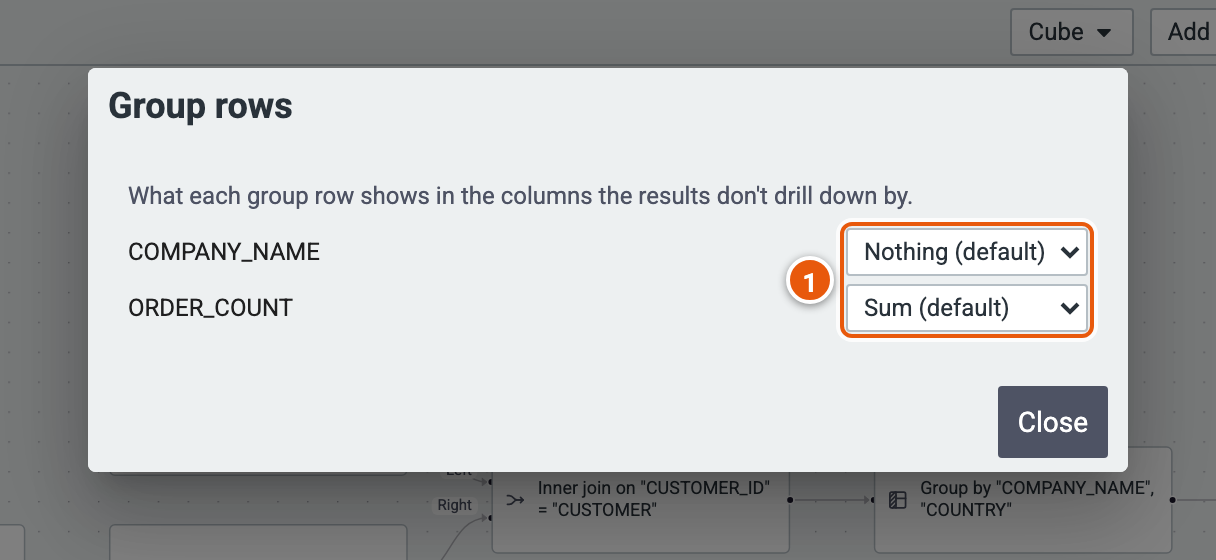
- For each column not drilled down by: Nothing, Count, Distinct Count, Distinct Value, Sum, Average, Min or Max. A number column shows its Sum by default; others show nothing.
Formatting a column
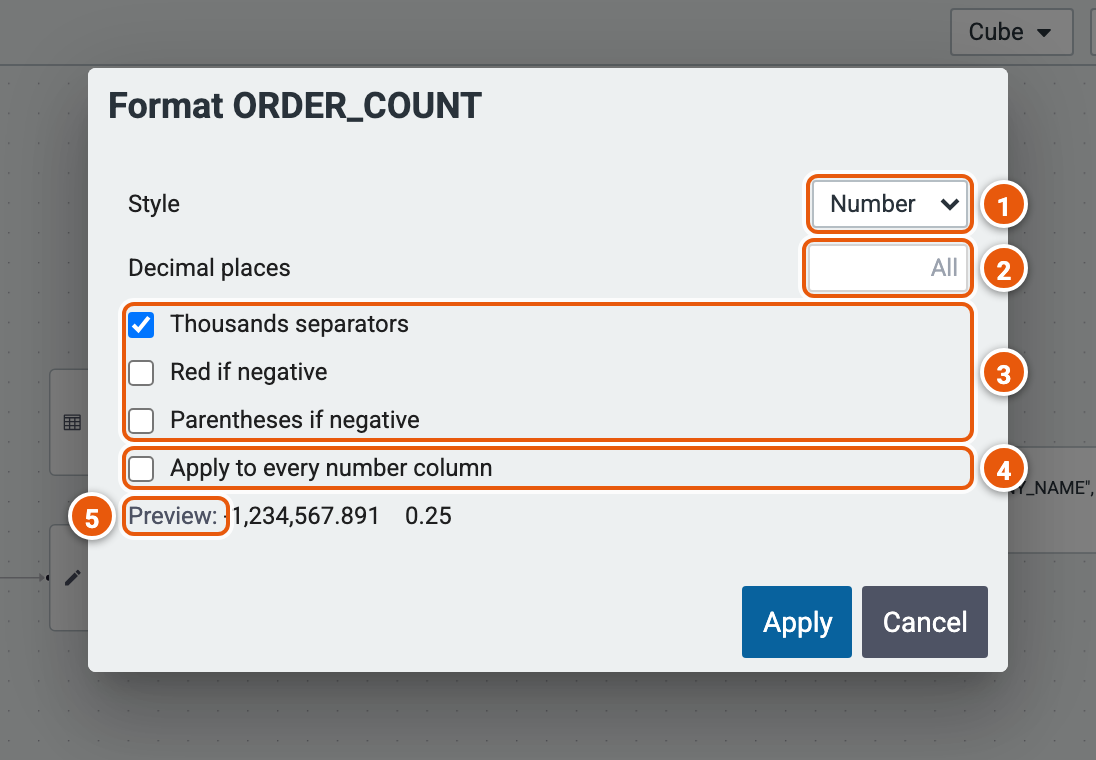
- Style of the numbers.
- Decimal places; empty shows them all.
- Thousands separators, Red if negative, Parentheses if negative.
- Apply to every number column at once.
- Preview of the format.
Runs
Runs lists the latest runs, fetches and exports of the page, newest first; the latest 15 are kept.

- What ran, when, and how long it took. ▸ SQL under it shows the SQL it sent to the database.
- Show Pure: the Pure query it ran.
- Copy JSON: the query as it was sent to the engine, to debug it.
- Copy SQL.
Show SQL, beside Execute, shows the SQL of the last run.
Local mode
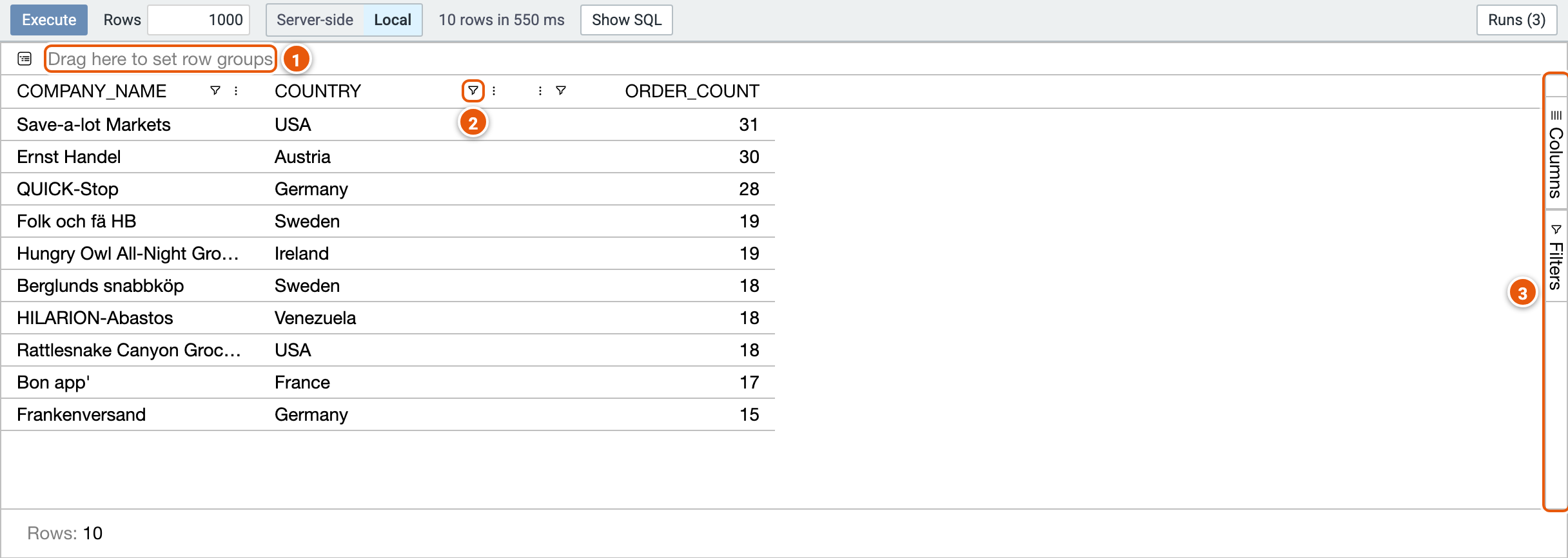
- Drag a column's header here to group the rows by it.
- A column's filter.
- Columns and Filters: choose the columns shown, and see every filter.